
How to Redesign a Carrd Website With AI
Learn how to redesign your Carrd site using an AI tool called Repaint. A step-by-step guide to expanding a one-page site without starting from scratch.

Introduction
Carrd does one thing well. It's a cheap, simple way to build a one-page website. One page is often all you need for a portfolio, a launch page, or a link-in-bio hub. But websites tend to grow. Eventually you want a second page, whether that's for your services, your prices, or a blog. Carrd can't add one. It only builds one-page sites.
AI website builders can take you further. You describe what you want in plain language, and the AI designs and builds it, whether that's one page or twenty. And since it can pull your existing content in automatically, growing past Carrd doesn't mean starting over.
In this guide, I'll show you how to redesign a Carrd website with an AI tool called Repaint.
Why Redesign a Carrd Website with AI?
The most direct reason is that Repaint builds full, multi-page websites with navigation between them. Everything that's been competing for space on your one page can spread out, each section with a page of its own.
The other reason is how editing works. Carrd is a manual editor with no AI. You place every element, size it, and style it yourself. In Repaint, you describe the change you want and the AI does the design work. That difference grows with your site. Updating one page by hand is fine. Updating eight is a chore.
And switching doesn't mean rebuilding. Repaint imports your Carrd site from its live URL and uses your existing text and images as the starting point for the new site.
How AI Website Migration Works
Repaint visits your live site the same way a visitor would. It reads your text, downloads your images, and takes screenshots to understand the design. Then it rebuilds and expands the site in Repaint, where you make edits by chatting with AI. You don't need to export anything or give Repaint access to your Carrd account. All it needs is your URL.
Trying this risks nothing. Your Carrd site stays live and unchanged while you work, and visitors keep seeing it until you decide to switch your domain over. If you don't like what Repaint builds, your current site is still there, exactly as you left it.
Step 1: Import Your Content
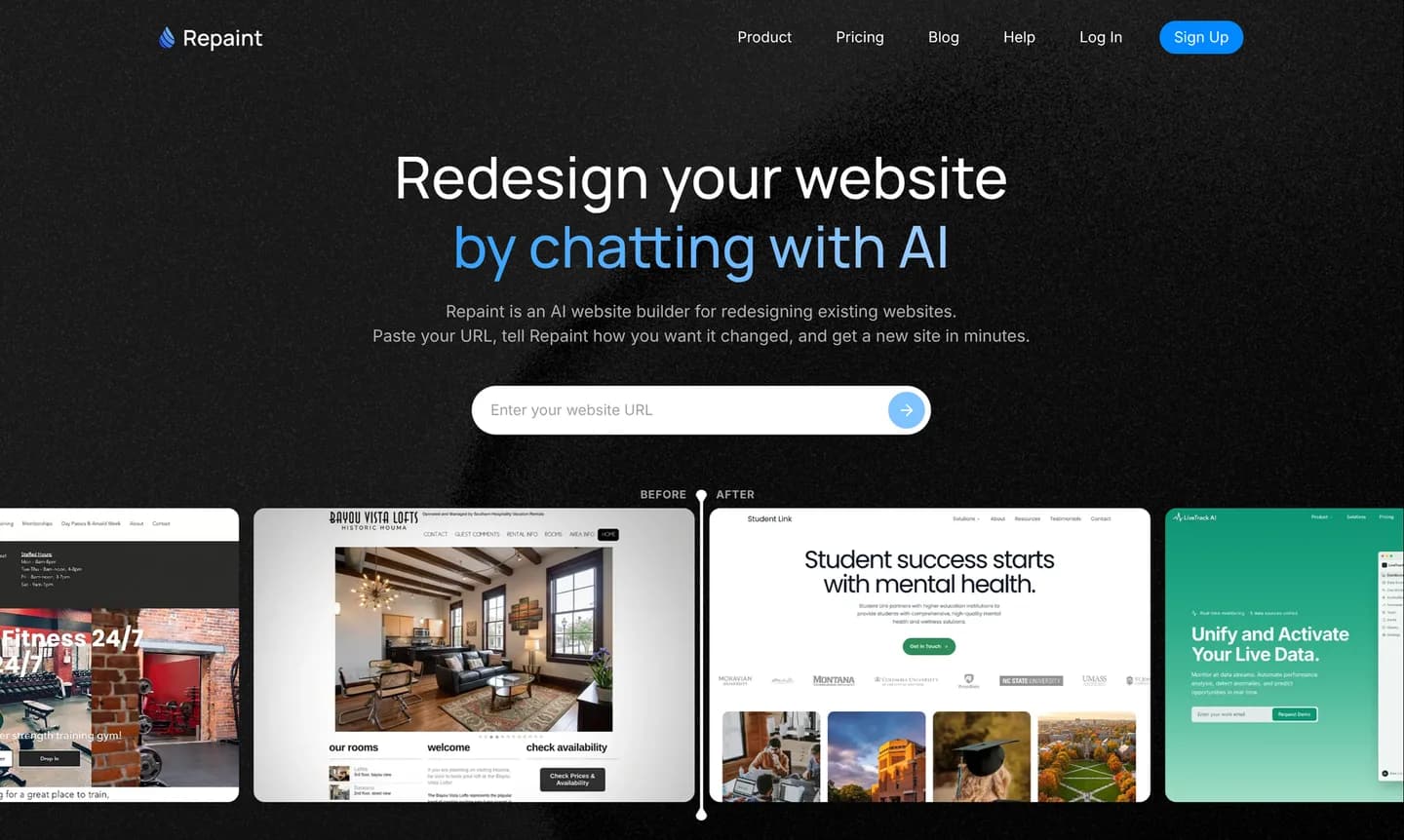
Start by copying the URL of your live Carrd site. A free .carrd.co address works fine, and so does a custom domain. Then:
- Go to the AI website redesign tool.
- Paste in your Carrd website URL and submit.
- Create a Repaint account.
Once you submit, Repaint scans the site. It reads your text, saves your images, and takes screenshots to capture the design. For a one-page site, the scan finishes quickly.
A single page also means Repaint starts with less material than a full website would give it, so this is a good time to add more. You can paste extra text into the chat, upload images and files, or point Repaint at other sources like a Google Business profile or a PDF. If the new site is going to have more pages than the old one, this extra material is what Repaint will build them from.
Step 2: Generate Your Website
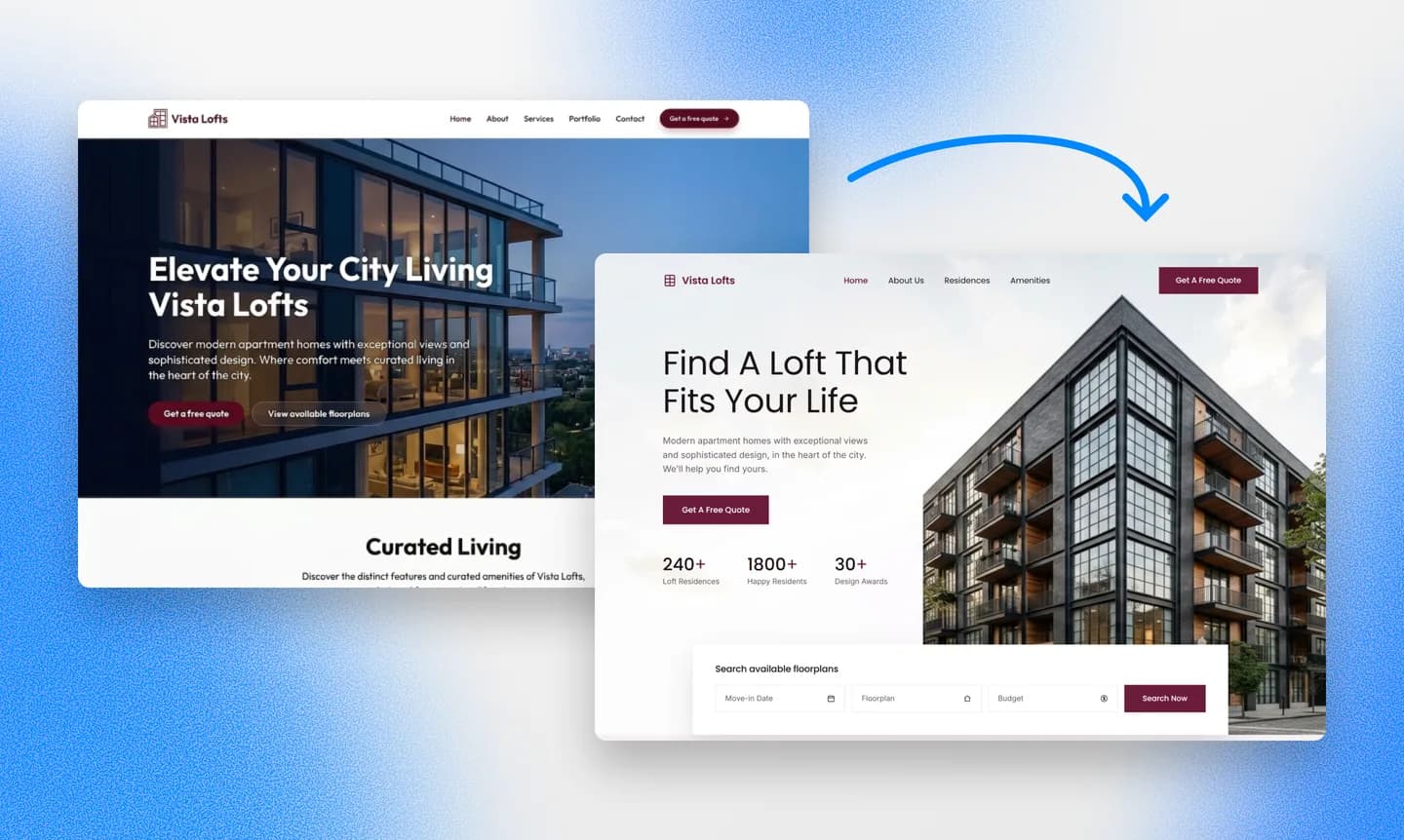
After the scan, Repaint asks a few questions before it builds. For a Carrd site, the main decision is size. You can keep everything on a single page and just upgrade the design, or you can spread your content across several pages with a menu connecting them. Unlike Carrd, Repaint has no page limit, so the choice comes down to what your site actually needs.
A section of your current page that's grown crowded can become its own page. You can also ask for pages your site never had, like a blog or a page for each service. Repaint drafts them from the material you shared. If you're not sure what you want, Repaint can propose a structure and you react to it.
Pick a Style
Most of the time, Repaint will generate a few style samples before building, so you choose from real options instead of describing something you can't see yet. You can also steer the style directly. You have a few options:
- Choose one of the generated style samples
- Keep the minimal look of your current site
- Match another website you like
- Describe the style you want in your own words
Whichever you pick, Repaint can keep the new site feeling like yours by carrying over your colors, fonts, and logo.
We have a collection of website examples organized by industry if you want to explore more design directions. Any of them can be used as a visual reference for the new site.
Review the Result
Once the direction is set, Repaint generates the site. A site the size of a typical Carrd page takes a couple minutes, and adding more pages adds a little time.
When it finishes, Repaint opens a preview. The first version might have some rough spots, like a headline that reads oddly or an image in the wrong place. That's normal, and the next step is where you fix it. If your old page used embedded widgets, check those first. Repaint needs their embed code to place them on the new site, so share it in the chat. For simple forms, Repaint can also build its own.
Step 3: Make Adjustments
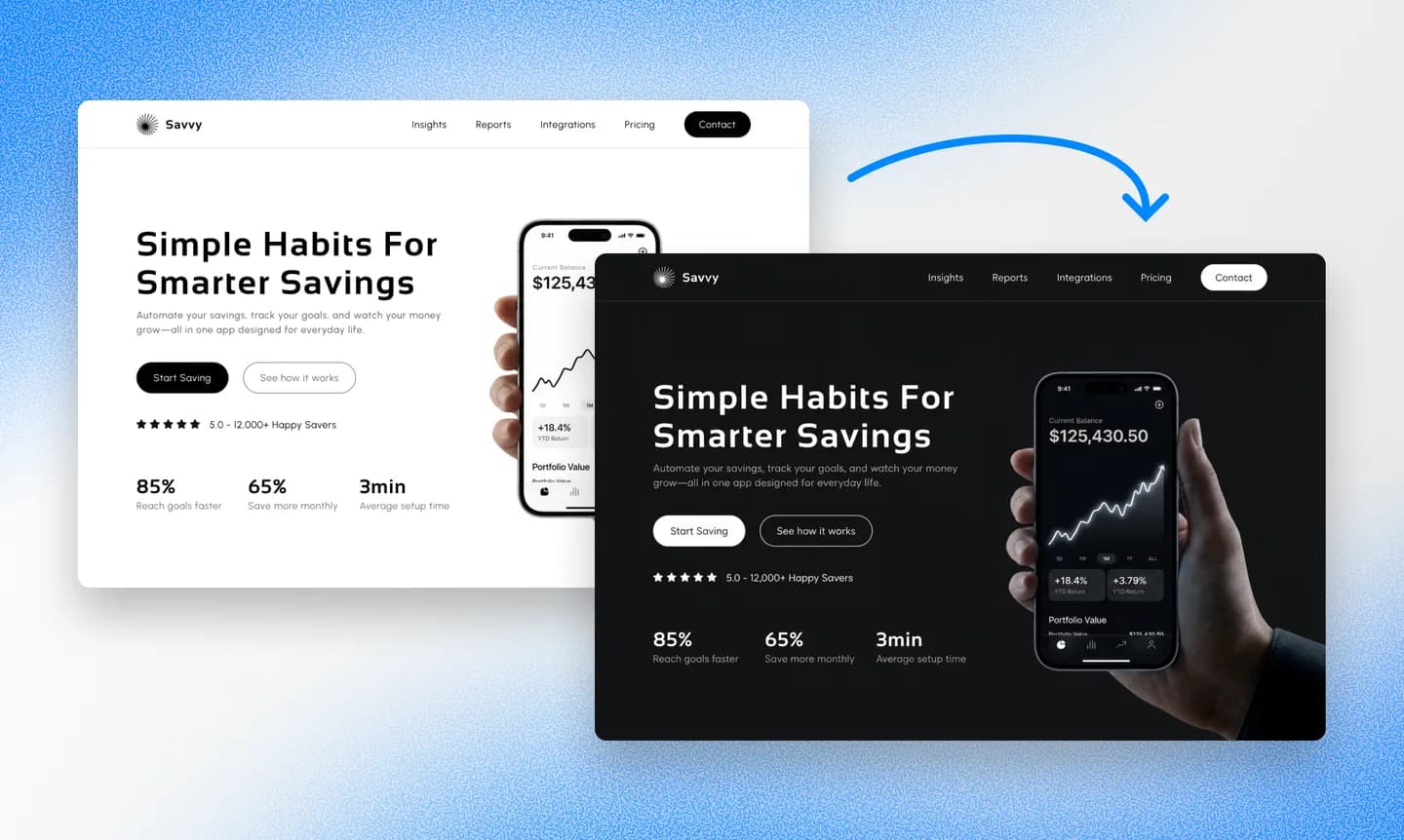
Editing works differently in Repaint than in Carrd. Instead of selecting elements and adjusting them yourself, you tell Repaint what you want changed. It makes the adjustment and shows you the updated page. If the result isn't what you meant, say so and it tries again. Small requests and big ones go through the same chat, from fixing a typo to adding a whole new page to the menu.
It's worth reviewing the overall style before polishing individual sections. Style changes touch every page at once, so making them late can undo detail work you already finished. Repaint also patterns new content on the pages that already exist, so the better your site looks now, the better its new pages come out later.
Once the style is settled, go through the site page by page. Check the text, the images, the links, and how everything looks on a phone.
Review SEO
Search traffic is one place where leaving Carrd is an upgrade by itself. Google ranks individual pages, and a one-page site only has one. Every search you could possibly show up for has to be answered by the same URL. When your content moves onto separate pages, each page can rank for its own searches, so an expanded site has more chances to be found than the old one had.
The move itself doesn't put much at risk, since your site's one URL simply becomes the homepage of the new site. If you want the full detail on protecting search traffic through a redesign, we wrote a complete website redesign SEO guide.
Step 4: Publish
Until you publish, the new site is a draft that only you can see. Publishing puts it on the internet at a Repaint URL. It's a real, live website that you can open on your phone or send to anyone for feedback.
Publishing doesn't touch your Carrd site. Both sites stay live at the same time, and anyone visiting your usual address still sees the old one. You can keep editing and publish updates as many times as you like. The switch to your own domain is the final step, and it only happens when you make it happen.
Step 5: Connect Your Domain

If your Carrd site uses a custom domain, the last step is pointing it at the new site. Carrd doesn't register domains, so your domain is likely registered with a company like Namecheap, GoDaddy, or Cloudflare. That registration won't change. A domain tells browsers which website to load when someone visits your address. Right now it sends visitors to Carrd, and you'll update it to send them to Repaint instead.
To make the change, tell Repaint in chat that you want to connect your domain. It will give you the DNS records to add and instructions for your specific registrar. If you get stuck, describe what you're seeing and Repaint will walk you through the rest. You can connect a custom domain during the free trial or on any paid plan, and the details are on the pricing page.
The change usually takes effect within about 20 minutes, and you can ask Repaint to check when it's live. If your Carrd site was on a free .carrd.co address instead, there's nothing to point. Your new site already has its own address, and you can always buy and connect a domain later. Either way, once you've settled into the new site, you can cancel your Carrd subscription if you had one.
Conclusion
Carrd earned its popularity by making one-page websites cheap and easy. If one page still covers your needs, there's little reason to leave. But a growing site needs more than one page, and that's the one thing Carrd can't offer. Repaint imports what you've built, redesigns it with as many pages as your content needs, and lets you keep shaping the site by chatting with AI.
There's no commitment in trying it. Your Carrd site stays live while you build, and visitors keep seeing it until you point your domain at the new site. If you don't like the result, you can simply keep the site you have.
FAQ
How long does a Carrd migration take?
Importing a one-page site and generating the new version usually takes a few minutes, even when the new site has more pages than the old one. Most of your time goes into reviewing and adjusting, and most people finish the same day.
Can I keep my site as a single page?
Yes. Repaint builds one-page sites too, so the redesign can simply be a better version of the page you have. And if you change your mind later, you can add pages without starting another redesign.
Do I need a paid Carrd plan to migrate?
No. Repaint imports from your live URL, and a free .carrd.co address works the same as a custom domain. None of Carrd's paid features are involved.
My Carrd site is a link-in-bio page. Is this worth it?
If one page of links is all you need, Carrd is already a good home for it. Repaint makes sense when you want that link to lead somewhere bigger, like a portfolio, a booking page, or a real site for your work. The two can also coexist. Some people keep the Carrd page as the bio link and point its most important button at a full Repaint site.
What happens to my email signup form?
Repaint builds its own forms, which save submissions. If your form fed a mailing list through a tool like Mailchimp or ConvertKit, share the embed code in the chat and Repaint will place it on the new site. Your subscriber list lives in the newsletter tool, not the website, so nothing about it changes in the move.
Will my embeds and widgets still work?
Yes, with one extra step. Embedded widgets like calendars, players, and payment buttons all come from snippets of embed code. Share those snippets with Repaint and it will add them to the new site. Scripts like analytics work the same way.
Do I need to move my domain registration?
No. Your domain stays at whatever registrar you bought it from. Registration is ownership of the name, and that isn't changing. You're only updating the domain's DNS records, which control where visitors are sent. Repaint gives you the exact records and the steps for your registrar.
What happens to my Carrd site during the migration?
Nothing. Repaint builds a separate site from a scan of yours. Your Carrd site stays live and unchanged until you point your domain away from it, and if you never do, it just keeps running.
How much does it cost to switch from Carrd to Repaint?
You can try Repaint free for 14 days, including building, editing, publishing, and connecting a custom domain. Paid plans start at $25 per month and include hosting and a weekly AI usage allowance.
When the trial ends, your workspace pauses until you start a paid plan. Your work stays saved, and you can reactivate it anytime. See our pricing page for details.
What if the AI gets something wrong?
Repaint saves a version of your site with every change. You can tell it to go back, or open the version history and restore any earlier point yourself. It's safe to experiment.


