
How to Generate a Landing Page With AI
A step-by-step guide to turning an offer into a focused landing page. Learn how to generate the first draft, collect leads, make changes through chat, and publish it at the right URL.

Introduction
Landing pages often need to be made quickly, but the traditional process still involves writing, design, and web development. New AI tools can turn a short description into a complete page in minutes, then let you revise it through chat. In this guide, I'll show you how to generate a landing page with Repaint.
Why Generate a Landing Page With AI
The main advantage is speed. Repaint can turn a short description into a complete first version in minutes. You can start reviewing the actual page without waiting for the copy, design, and development to happen separately.
That speed makes it practical to give each campaign its own focused page instead of sending every visitor to a general homepage. The message and next step can match the ad or link that brought someone there. If the audience or offer changes, you can revise the page through chat or generate another version without starting a separate design project.
Repaint can also use your existing website and brand assets as the starting point. New pages can match the rest of the brand without being built from a generic template.
How It Works
You begin by describing what you are promoting, who the landing page is for, and what visitors should do. An existing website or uploaded brand assets can also give Repaint content and design material to work with.
Repaint uses those inputs to generate a complete first draft. After a few minutes, the page automatically opens in the editor. You can review the working page, make changes through chat, and add a built-in form or connect an outside service.
The landing page can be published independently at a free Repaint address. Using an existing website as source material does not change or replace it. Once the page is ready, you can keep the Repaint address, connect a custom domain or subdomain, or add the page to a website that is already hosted in Repaint.
Step 1: Describe the Page
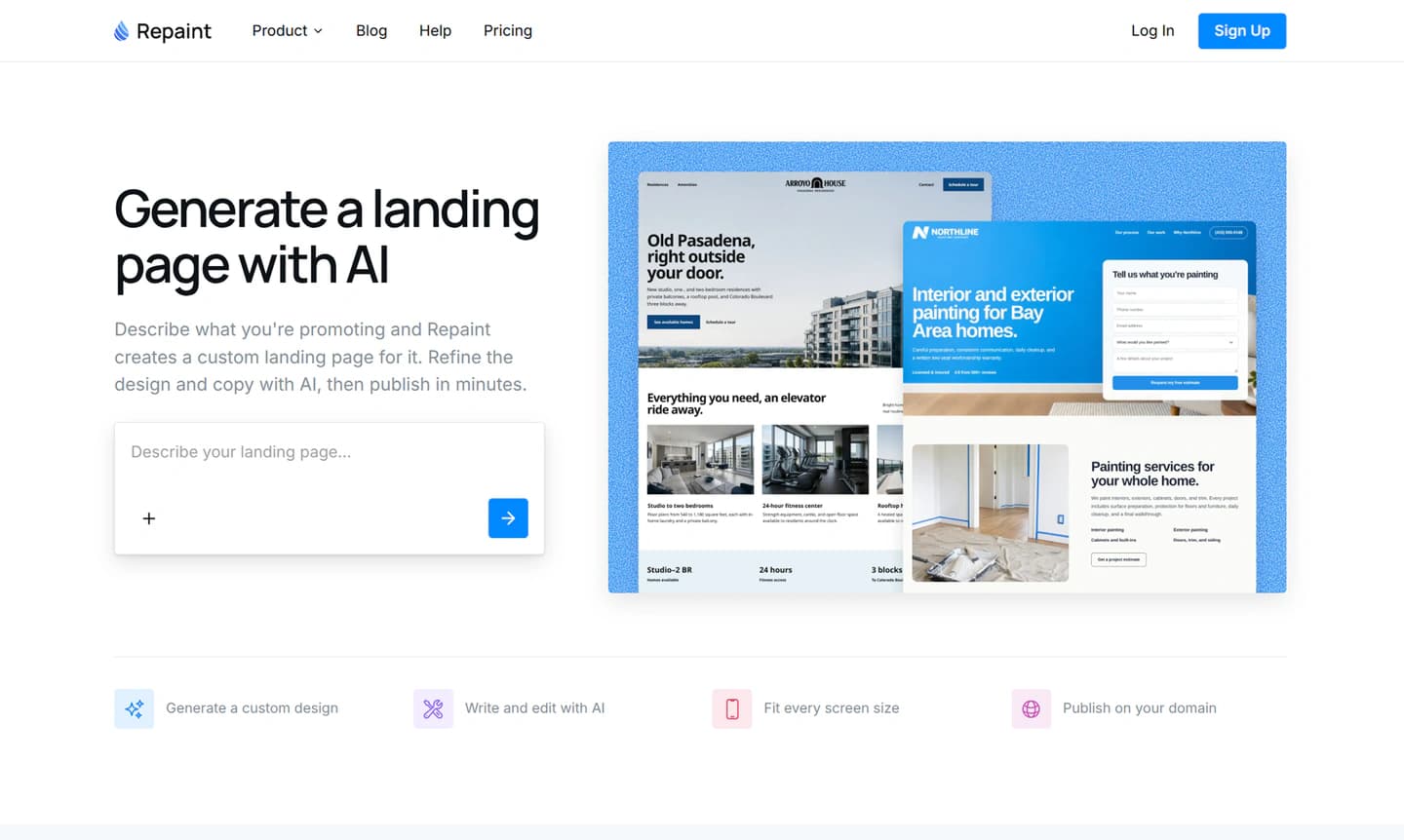
You start the process by describing the landing page you want in Repaint. The most useful description explains the offer, the intended audience, and the action someone should take after reading the page.
A first message could be as simple as, "Create a landing page for a local painting company offering free estimates to homeowners in the Bay Area. Explain the service, include a few customer reviews, and collect project details through a form."
That is enough for Repaint to begin planning the page. You can also mention where visitors will come from. Someone arriving from a search ad may need a more direct explanation than an existing customer following a link in an email. This context helps the page match the promise that brought the visitor there.
The first prompt does not need to settle every detail. Repaint will give you a chance to clarify the direction before it generates the page, and anything can be changed afterward.
Match Your Existing Brand
If you already have a website, Repaint can use it as the starting point for the landing page. Share the URL, and Repaint imports the logo, colors, images, and business information it finds. This helps the new page match your existing brand without requiring you to recreate those details by hand.
Repaint can also import public social profiles and uploaded files. You can add campaign images, product material, or a screenshot of a design you like. Repaint combines those sources with your instructions to create a page for the specific offer.
Step 2: Generate a First Draft
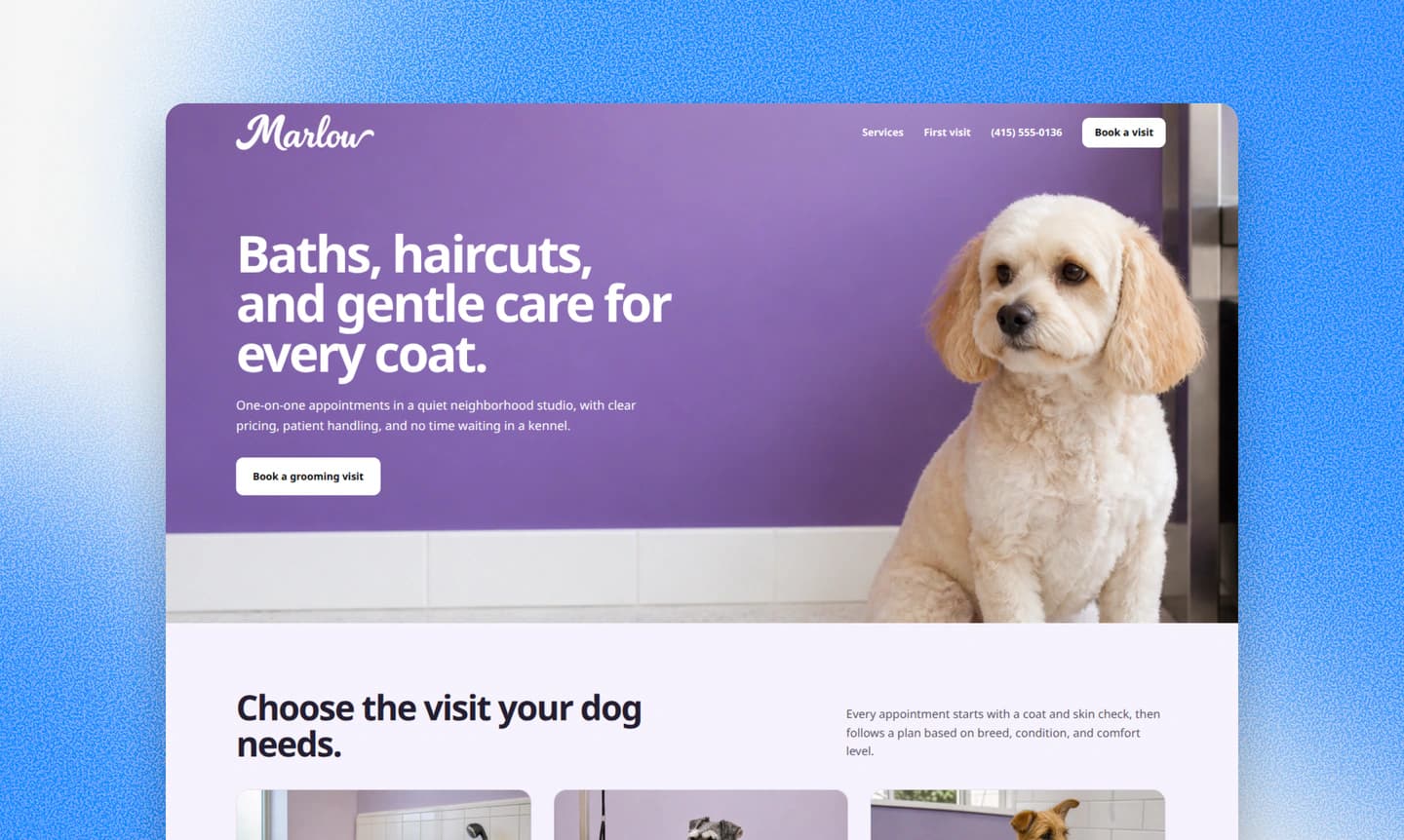
Once the direction is clear, Repaint starts generating the landing page. A typical page takes a few minutes. It writes the initial copy, incorporates the source material, and builds a responsive design for desktop and mobile.
When the first version is ready, Repaint automatically opens it in the editor. The generated page is still a first draft. The offer may need a clearer explanation, the visual style may not fit the campaign, or the page may emphasize the wrong information. You can correct any of that through chat without generating the whole page again.
Add Forms and Embeds
A landing page usually exists to move visitors into another action. If you already use a booking calendar, registration form, or checkout tool, you can share its embed code in the Repaint chat. Repaint can place the service directly on the page so visitors can complete the next step without leaving it.
An outside service can also stay on its own hosted page. In that case, Repaint can link the call-to-action buttons directly to that page. The landing page explains the offer, and the existing service handles what happens after someone clicks.
For simpler lead capture, Repaint has its own form system. You can choose which fields to collect, where submissions should be emailed, and what visitors see after submitting. Those details can all be set up or changed through chat.
Step 3: Edit With AI
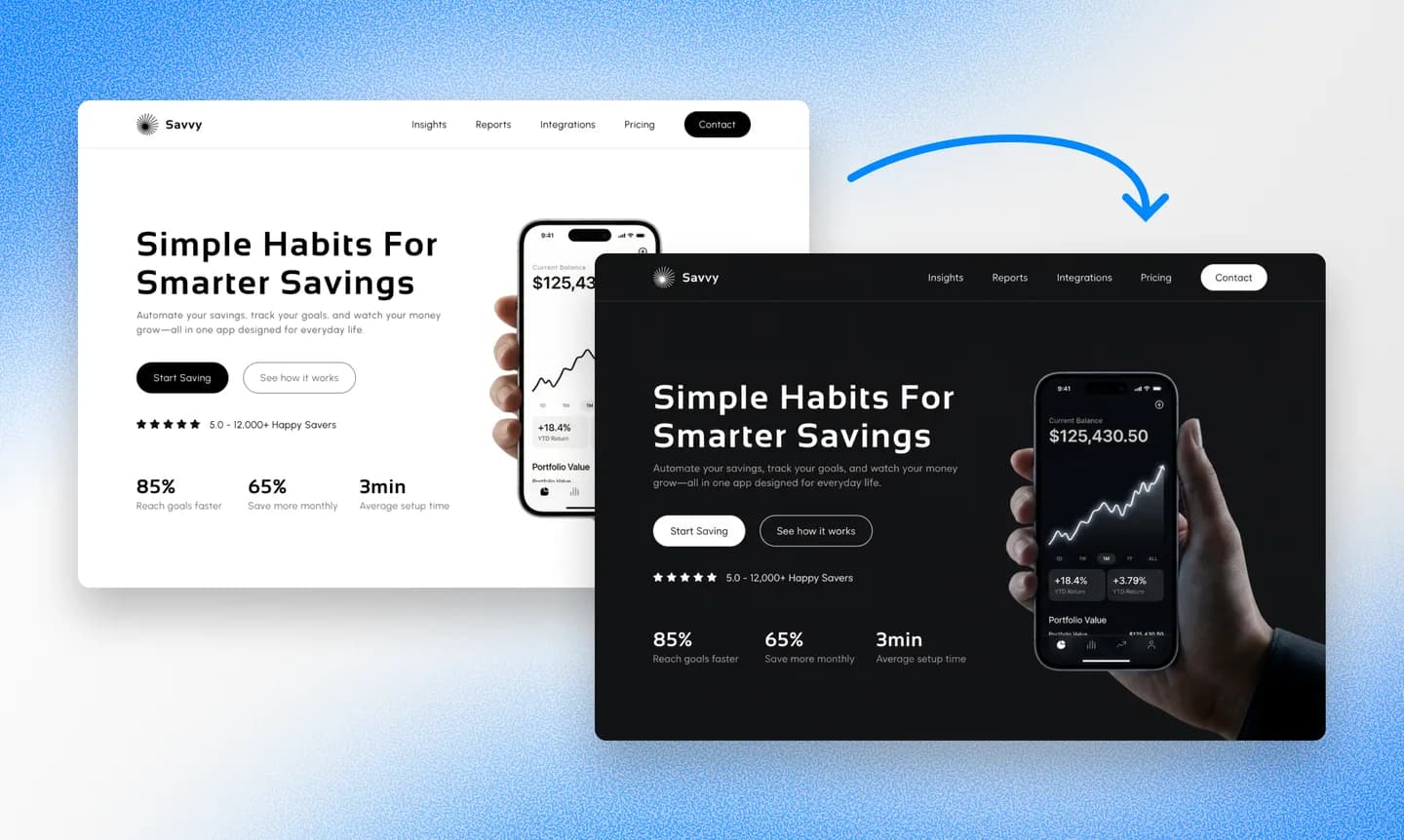
Most editing in Repaint happens through chat. You describe what you want to change, and Repaint updates the page and shows you the result. The same process can rewrite the copy, rearrange a section, or change the visual style. Text can also be edited directly on the page when you only need to make a small correction.
If Repaint misunderstands a request, you can explain what was wrong and have it try again. Every update creates a new version, so you can restore an earlier one if an edit breaks something or you don't like the result.
Generate Variants
Once the first page is working, Repaint can use it as the starting point for variants. You can tell it what should stay consistent and what should change rather than building every page again from scratch. This makes it possible to reuse the design, brand assets, and form setup across a campaign.
Repaint creates each variant as a separate page with its own URL. An advertising or testing platform can send traffic to those URLs and measure the results separately.
Step 4: Publish

Publishing puts the landing page online at a free address ending in sites.repaint.com. This is a public page that anyone with the link can visit. You do not need to enter a credit card or connect a domain before using it.
The free Repaint address can be used for the campaign or as a staging address before connecting a custom URL. Because it is public, the page can also be shared with anyone who needs to review it.
Publishing makes it possible to test the complete visitor experience. Form submissions should reach the correct inbox, and any linked or embedded service should work from the public page. Analytics and advertising scripts should also begin recording visits there.
Making Changes After Publishing
Publishing does not lock the page. You can keep editing while the current version remains online. The changes stay in a draft until you publish again, so a live campaign does not have to show work that is still being reviewed.
When an update is ready, publishing again replaces the live page at the same URL. Existing campaign links continue working without any changes.
Step 5: Choose a URL

A landing page does not have to live on your main website domain. The right URL depends on how permanent the page is and how closely it needs to be connected to the rest of the website.
The free Repaint address works for testing and can be enough for a temporary campaign. A landing page can also use its own custom domain or a subdomain such as offer.example.com while the main website stays with its current platform.
If the main website is already in Repaint, the landing page can live on that site at its own path. If the main website is hosted somewhere else, it can simply link to the Repaint landing page. Pointing the main domain at Repaint only makes sense when you also want to build or migrate the rest of the website.
Connect the Domain Through Chat
To use a custom domain or subdomain, tell Repaint what you want to connect in the chat. It will provide the exact DNS records and explain where to add them based on the domain provider. The domain stays registered in the same account where it was purchased.
Connecting a custom domain requires a paid plan. Current plans start at $20 per month when billed annually or $25 month to month, with full details on the pricing page.
DNS changes often take effect within about 20 minutes, although they can occasionally take longer. Repaint secures the new address with HTTPS automatically. Once it is connected, open the final campaign URL and confirm that the page still loads and the next step still works.
Conclusion
AI is especially useful for landing pages because the work rarely ends with the first draft. Campaigns move quickly, and the page often needs to change with them. Repaint can generate the first version in minutes and handle later revisions through chat.
That makes it much easier to create a focused page for each campaign instead of treating every one as another design project. You can generate a landing page with Repaint for free and decide whether the result meets your needs before paying.
FAQ
Do I need a website to create a landing page?
No. Repaint can generate a landing page from a description of the campaign. You can publish it at a free Repaint address or connect a custom domain without having a separate website.
Can I make the landing page match my existing website?
Yes. Share the website URL, and Repaint can use its design and content as source material for the landing page. You can also upload additional brand files or campaign images. The existing website stays on its current platform while the new page is built and hosted separately in Repaint.
Can I add my existing form or booking tool?
Yes. If the service provides embed code, Repaint can place it directly on the landing page. It can also link a button to a form or booking page hosted elsewhere. For simple lead capture, Repaint has a built-in form system that emails each submission to you.
Does a landing page have to be on my main website domain?
No. It can use a free Repaint address, its own custom domain, or a subdomain connected to your main domain. If the main website is already in Repaint, the landing page can also live there at its own path. A website hosted somewhere else can simply link to the landing page.
Can AI create landing page variants for A/B testing?
Yes. Repaint can use one landing page as the starting point for variants and publish each one at a separate URL. Your advertising or testing platform can then split traffic between the URLs and measure which version performs better.
Can I generate a landing page for free?
Yes. Repaint lets you generate a landing page, edit it, add a form, and publish it on a Repaint subdomain without paying or entering a credit card. Paid plans start at $20 per month when billed annually or $25 month to month. They let you connect a custom domain, remove Repaint branding, and include more weekly AI usage. Full details are available on the pricing page.


