
How to Redesign Your Website Without Hiring an Agency
A step-by-step guide to redesigning your website without hiring an agency. Learn how to rebuild your site and update the design just by talking to AI.

Introduction
Redesigning a website used to mean hiring an agency: thousands of dollars, weeks or months of back-and-forth, and handing control of your own site to someone else. New AI tools like Repaint change that. You can rebuild it yourself just by sharing the URL and describing what you want.
In this guide, I'll walk you through redesigning your site by talking to AI. Unless you need genuinely award-winning design, you're better off doing it yourself now. All you need is the link to your existing site.
Why It Costs So Much
Hiring an agency to redesign a website usually costs a few thousand dollars at the low end, and tens of thousands at the high end. It also takes time, often a few weeks to a few months before the new site is live. It costs that much because of the skill involved, and it takes that long because of all the back-and-forth.
You're paying for skill, not hours
A good web designer is like a good mechanic. When a mechanic charges $400 to fix something in half an hour, you're not paying for the thirty minutes. You're paying for the years it took them to know exactly what to do. Web design is the same. This is also why building a site yourself used to be so hard. If you don't have the technical knowledge, it takes a long time to learn.
Where the time goes
The timeline is a different story. Most of those weeks aren't spent building the site. They're spent passing it back and forth. You describe what you want, the designer builds their version of it, you point out what's off, and they adjust. Each pass means waiting for the other person to respond.
This isn't anyone's fault, and even great agencies work this way. Any time a vision has to pass between two people, it gets slow. The building was never the slow part. The conversation was.
Why This Is Changing
New AI tools reduce the technical skill you need to make a website. It makes sense to build your own website much more often now. And when you do that, you don't have to go back-and-forth with a design agency. Most people who redesign their own site with AI spend only a handful of hours on it total, not weeks.
Most web design agencies can still make higher quality designs than AI. But over the last few months, AI has gotten much better at web design. It's more than capable of making professional websites. Unless you need award-winning design, there's little reason to hire a web design agency. AI tools can make websites much faster and cheaper, while also giving you full control to edit the final product.
How AI Can Help
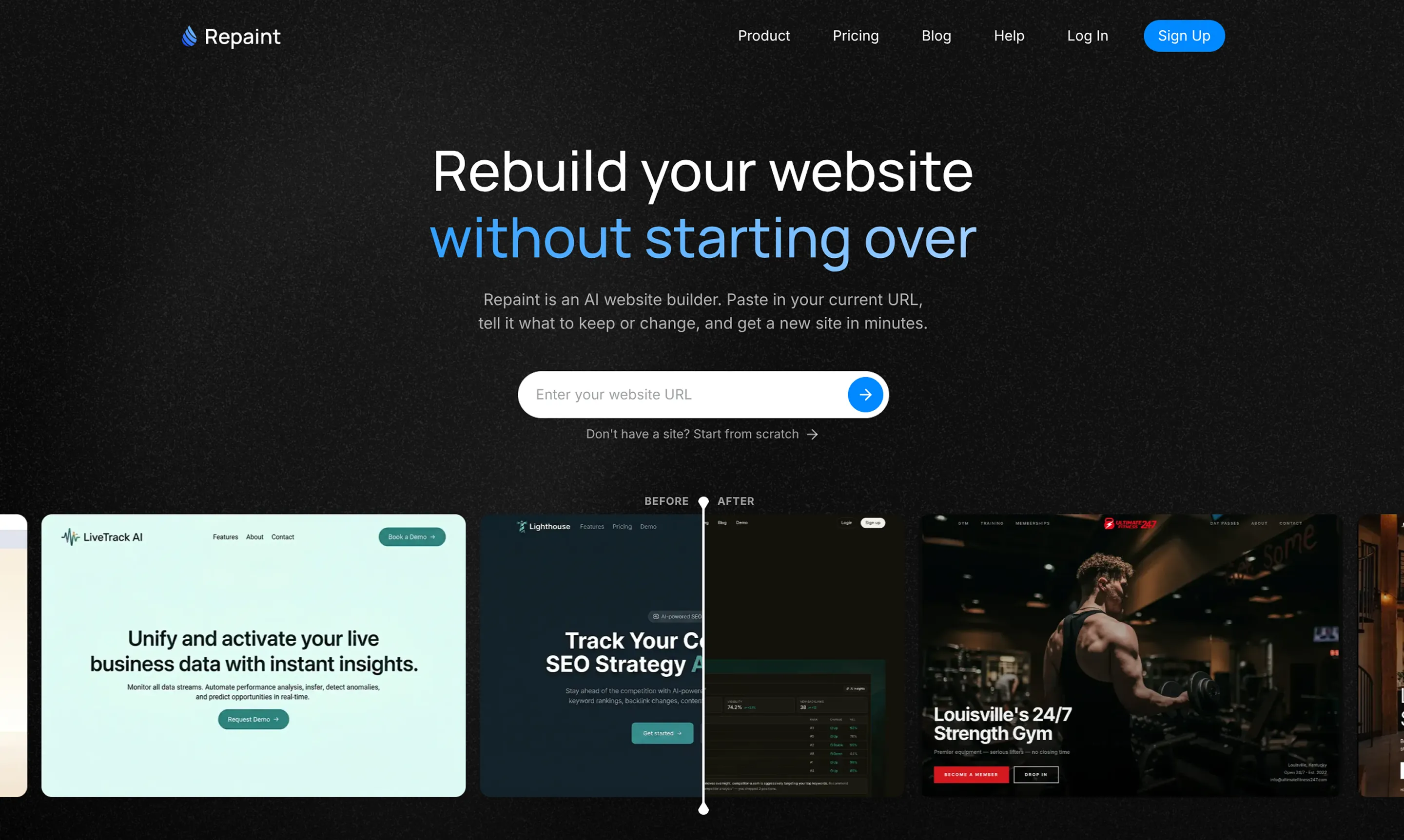
So you have a website built by someone else, and redesigning it the traditional way means hiring another agency. AI offers a different path: it can automatically redesign your existing site on a new platform, and you can edit anything yourself by chatting with AI. This is exactly what Repaint was built for.
If you're used to working with an agency, Repaint feels like magic because it asks almost nothing of you. You give it the address of your existing site, and it visits the page the same way a person would. It reads your text, downloads your images, and takes screenshots of the design. Then it uses all of that to reconstruct your site on a new platform. You don't need any code, any files, or any login from whoever built it. It doesn't even matter how the original was made, whether that's WordPress, Squarespace, Webflow, or custom code. All you have to do is paste a link.
Once your site is rebuilt, you change it by describing what you want in plain English. You say what to change, the AI makes the update, and it shows you the result. There's nothing new to learn and no one to send a request to. The AI can help with everything required to manage your website:
- Everyday edits and updates. Changing wording, swapping a photo, updating a price, adding a page: these are simple and instant. The routine changes that used to mean emailing whoever ran your site now take seconds.
- The technical web work. This is where AI is strongest, often better than most people who build sites by hand. Page structure, metadata, redirects, embeds, connecting your domain: it knows how these are supposed to be done and can set them up for you while explaining what it's doing.
- A design partner. You don't have to arrive with a finished vision. The AI can suggest layouts, choose colors and fonts, and write copy, so you can start from a rough idea and shape it together. If you're not a designer, it's like having one to think out loud with, and we'll cover how to steer it toward a look you love later on.
The Process
Repaint builds your new site separately from the original, so there's no risk of disrupting your live site while you work. You generate the new version, refine it, and switch over only when you're ready.
1. Paste Your URL
Start by pasting the address of your existing website into Repaint's redesign tool. It visits the live site, reads its content, and downloads the images it needs to rebuild it. You don't need access to the original code, the platform it was built on, or any login from the agency that made it.
2. Describe Your Redesign
Repaint will ask what you want the new site to be. This is where you describe the changes you're after, whether that's a fresh look, a new structure, updated content, or all three. If you'd rather keep the current design, you can ask for a faithful copy. The AI is good at following complex instructions, so just explain what you want and Repaint will make it happen.
3. Generate Your Website
Once Repaint understands what you want, it builds the site. It uses the content from your existing site while applying the redesign you asked for. When it finishes, it opens a live preview so you can see how everything came together.
4. Make Adjustments
From here, you refine the site by describing what you want in plain English. Start with broad changes to the overall look before polishing individual pages. Repaint updates the site after each request, so you can keep going until it feels right.
5. Publish
When you're happy with the result, click Publish. Repaint puts the site online at a sites.repaint.com subdomain. Your original website stays exactly as it was, so you can test and share the new version before replacing anything.
6. Connect Your Domain
The last step is pointing your existing domain at the new site. This is a Plus feature, and you can learn more about pricing here. You usually don't need to move the domain away from its current registrar. You only update its DNS settings, which Repaint can walk you through. Once it's verified, visitors see your new site at the same address.
Keep Your Search Traffic
If your current site gets traffic from Google, check one thing before you publish: that your redesign keeps the same page URLs, and the same content on them. We have a full website redesign SEO guide if you want the details.
The reason is that Google builds rankings for individual pages, tied to their URLs. If a URL changes or disappears, Google treats it as a new page with no history, and you lose the traffic it was earning. Heavily changing the content on a page can have a similar effect, since Google may decide it's no longer the best match for a search. This matters more on a redesign than a simple edit, because reworking a site is exactly when URLs and content tend to move.
You can ask Repaint to compare the URLs on your new site against the old one and flag any differences. If anything changed or went missing, it can fix it. Once everything lines up, you're ready to publish.
Getting a Great Design
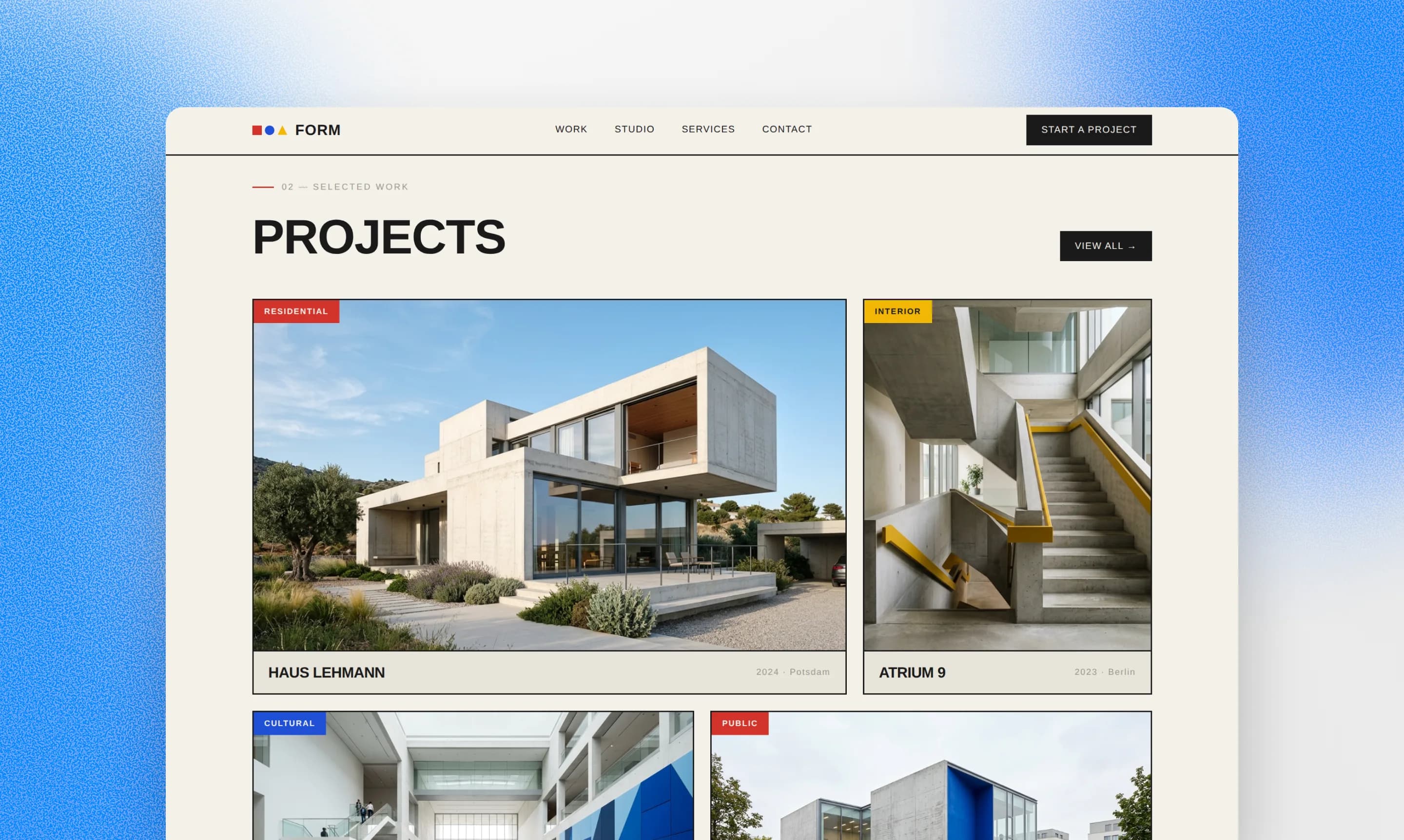
AI models have gotten much better at web design over the last few months, but they're still behind a good agency. Here's a few tips for getting the best results possible.
- Be prescriptive with what you want. When you're not a designer yourself, it's tempting to let the AI handle everything. But if you don't give it anything to go on, you'll get something generic. So give the AI any ideas you have, like colors, art styles, or general moods you'd like to capture.
- Give the AI visual references. Most people can't even describe what they want very well. It's challenging for anyone to communicate a visual aesthetic through words alone. The AI will do a much better job if you give references to look at, like images, other websites, or examples from Pinterest or Google Images.
- Use images. Websites with images typically look better than websites without images. Ideally you have your own images, but Repaint can also generate them for you. The stereotypical bad AI websites are usually ones without any images, so they're forced to use repetitive text-only layouts like three cards in a row.
Conclusion
Redesigning a website used to mean hiring an agency and handing the whole project over to them. AI changes that. Repaint can take the website an agency built for you and redesign it on a platform you control, where every change is as simple as describing what you want. You don't need the original code, a login, or any involvement from whoever built it. You just paste in your URL, describe the site you want, and get a new site in minutes. The redesign that used to take an agency, weeks, and thousands of dollars becomes something you can do yourself in an afternoon.
FAQ
How much does this cost compared to hiring an agency?
Redesigning a website with AI is much cheaper than hiring an agency. Agencies typically charge a few thousand dollars at the low end, and often a retainer on top for future changes.
In Repaint it's free to redesign your site, edit it, and publish it to a sites.repaint.com address. The free plan includes a weekly editing allowance and adds a Made in Repaint badge to your site. Repaint Plus is $20 per month billed annually, or $25 month to month, which adds a larger usage allowance, removes the badge, and lets you connect your own domain.
Can AI really make a site that looks as good as an agency's?
It depends on the agency. AI tools have gotten much better at web design over the last few months. They're more than capable of making professional websites for small businesses now, and potentially better than low-end web designers. That said, great agencies can make high-end, custom design work that no AI tools are close to matching.
Using AI to make your website is still ultimately a tradeoff. The design quality won't reach the highest levels, but it will be dramatically faster, cheaper, and you'll have full control when it's done.
How long does a redesign take?
Far less than an agency. A first version is usually ready in a few minutes, since Repaint imports your existing content and builds from there. From there, most people spend a few hours over a day or two refining the look and reviewing pages. A redesign that would take an agency weeks can often be finished in an afternoon.
Can I keep my existing content and blog posts?
Yes. Repaint reads the text and images from your current site and brings them into the new one, including large collections of blog posts. You can keep everything as it is, rewrite it, or use it as a starting point for new pages. You're redesigning the site around content you already have, not rebuilding it from a blank page.
Do I have to redesign the whole thing, or can I keep my current design?
Either works. If you like your current design, you can ask Repaint for a faithful recreation. Or you can redo everything from the ground up. Repaint is designed to follow complex instructions and turn it into a cohesive website, so it should work no matter how much you want to redesign.
Will my current website be affected while I work on the new one?
No. Repaint builds your new site completely separately from the original, so your live website stays exactly as it is the whole time. Visitors keep seeing your current site, and nothing changes for them until you decide to connect your domain to the new version. You can redesign, edit, and review at your own pace with no risk to what's online.
What happens to my domain and email if I switch?
You keep both. To connect your domain to the new site, you add two records, a CNAME and an A record, that point your web address to Repaint. You don't remove or change anything else. Your email runs on separate records, so leaving those in place means it keeps working exactly as before.
If an agency currently controls your domain, you'll need them to update the DNS settings or give you access, but you don't have to move the domain away from where it's registered.
Can I do this if I'm not technical at all?
Yes, and that's exactly who Repaint is for. There's no code to read, nothing to install, and no settings to configure. You make changes by describing what you want in plain language, and the AI does the rest. The AI handles all the technical work that the agency used to handle, so you don't have to worry about any of it.
Will I lose my Google rankings if I redesign?
Not if you keep the same page URLs and the same content on them. Google ranks individual pages by their URL, so problems only arise when URLs change or disappear. Repaint can compare your new site against the old one and fix any differences before you publish. There's more detail in our website redesign SEO guide.
What if I don't like the result?
You can always try again, and have Repaint try a new style. It's not a one-and-done process, the AI can keep iterating until you like it.
Either way, there's very little risk in trying. Your original site stays live and untouched the entire time, so if you decide the redesign isn't working, you've lost nothing but a little time, and you simply don't connect your domain. Since it's free to build and review a site, you can see exactly what Repaint produces for you before committing to anything.


