
How to Edit Your Website Without a Developer
A step-by-step guide to editing your website without a developer. Learn how to update content and design just by talking to AI.

Introduction
Editing a website used to mean going through whoever built it. Every small change, like a new photo, a price update, or a typo fix, meant emailing your developer, waiting days, and sometimes paying for the privilege. New AI tools like Repaint remove that bottleneck. You can change anything on your site just by describing what you want in plain English.
In this guide, I'll explain how to take control of a website someone else built for you, without learning to code or hiring anyone. All you need is the link to your existing site. You don't need a developer, the original code, or even the login.
Why You're Locked Out
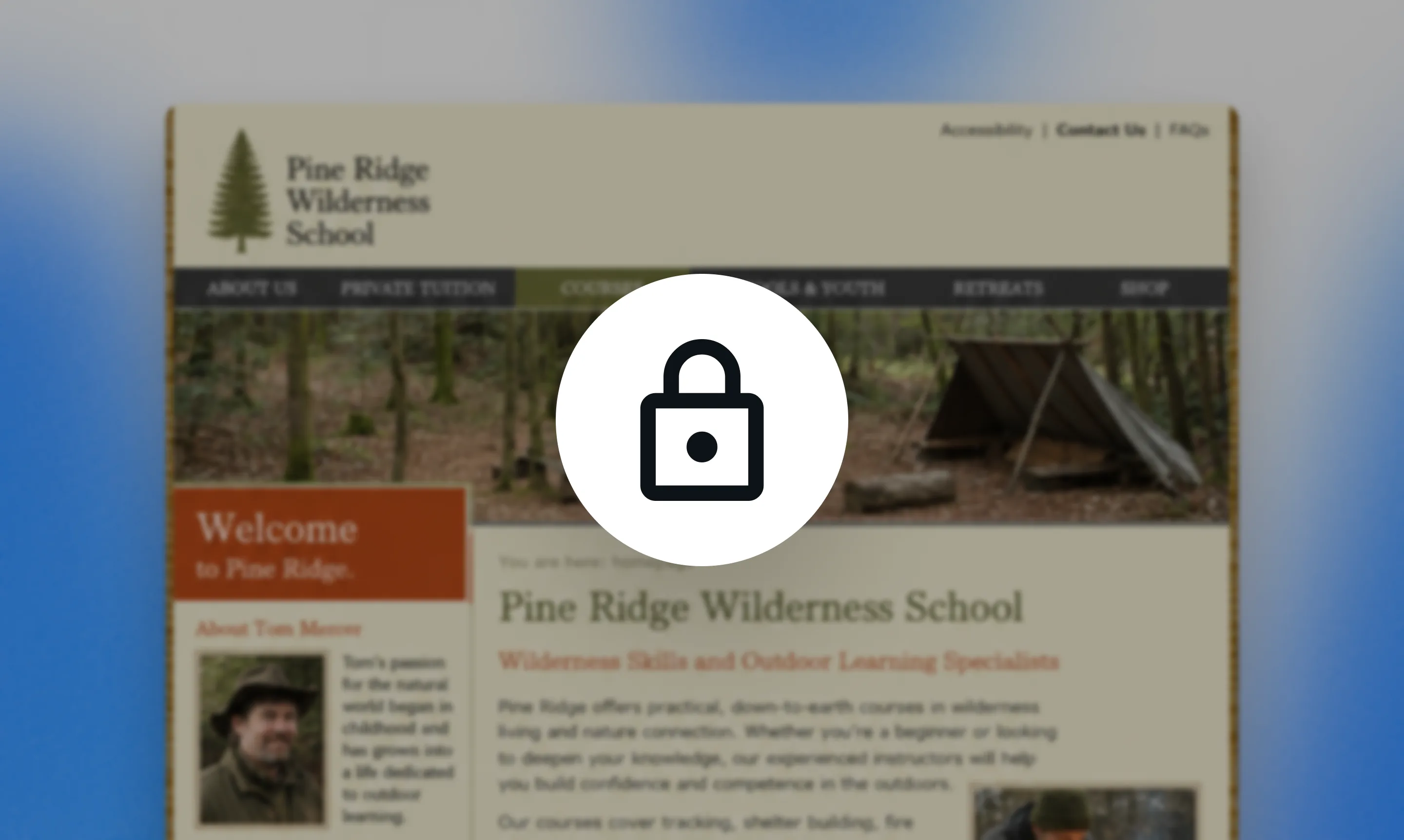
When someone else builds your website, you typically end up in one of two situations. Either they keep managing the site and make changes for you, or they hand it over and leave the editing to you. Either way, you can end up unable to update your own site.
They Manage It For You
In the custodial model, the agency builds your website and keeps running it for you. Whenever you need something updated, you ask them and they take care of it. You're paying for a service: they hold all the technical details so you don't have to think about them. The tradeoff is that you depend on them for every change, however small.
They Hand It Over
In the handoff model, the agency builds your site, gives it to you, and steps away. Now the site is yours outright, with no ongoing fees. The tradeoff here is that editing it requires skill you may not have. If your site was custom coded, changing it means writing code. If it was built on a platform, there's still a learning curve before you can do much. This is usually how people end up on a platform they don't understand with a website they're afraid to break.
Why This Is Changing
The actual work of editing a website was never especially time-consuming. It only takes a professional a few minutes to swap an image or update text. What you were really paying a developer for was the knowledge of how to do it, and what made the process drag was everything around the work: explaining what you wanted, waiting in their queue, and going back and forth until it was right.
It's changing because AI tools have gotten much better. They have more web development knowledge than most professionals. Since AI knows how to make websites, you can use them instead of hiring someone for the skill. Doing it directly cuts out both the specialized labor and the slow back and forth messaging, which is what made changes expensive and slow in the first place.
Who Controls Your Site
Many web developers will happily manage your website for you. It's an easy way to secure an ongoing relationship for future work. And when people hire them to avoid technical details, they usually get a managed website without even making that choice.
But it is a choice. You can run your own website if you want to. And with new AI tools, the technical barrier is much smaller than it used to be. Unless you need top tier design quality, it almost always makes sense to manage your own website these days.
Why You Should Own It Yourself
- Updates are instant. When you control the site, a change happens the moment you decide to make it. You don't have to wait days for small changes. Once you have the ability to edit your own website, you'll never want a website you can't edit again.
- Your site stays current. When editing is someone else's job, updates get put off. The friction makes you tolerate outdated information rather than fix it. Hopelessly outdated websites are almost always the result of updates being slow and costly.
- You make more improvements over time. When edits are free and immediate, you're more likely to polish things visually. Most great-looking sites are the product of many small iterations, which only happen when making changes is easy.
- Your site evolves with you. Your business changes, and your site can change with it. New prices, new offerings, a new direction: you can adjust your website immediately, instead of waiting for a redesign.
How AI Can Help
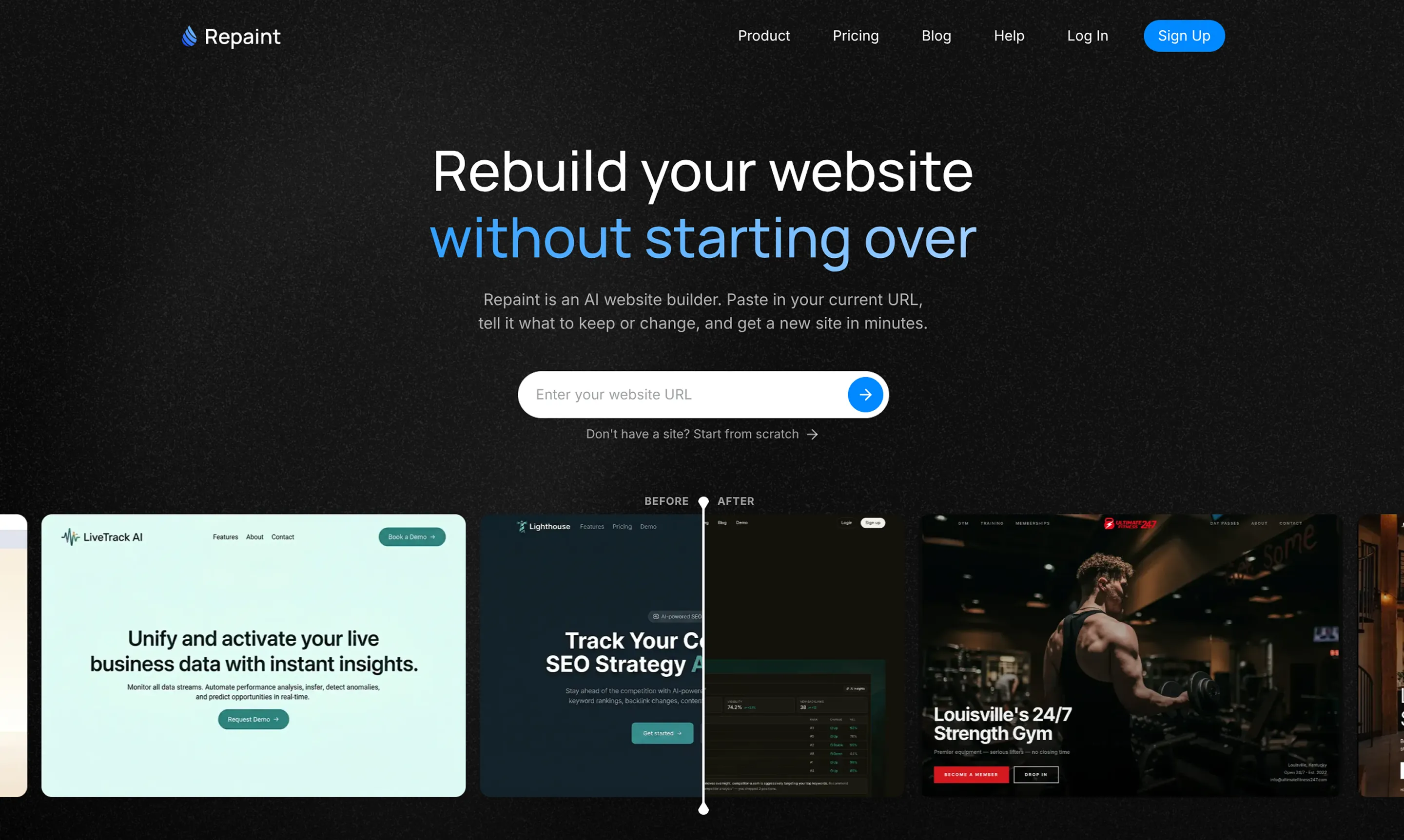
So you have a website, but you're locked out of editing it. AI can help you solve this by automatically rebuilding your website on a new platform. Then you'll have complete control to edit anything by talking to AI. This is exactly what Repaint was made for.
If you're used to working with a developer, Repaint feels like magic because it asks almost nothing of you. You give it the address of your existing site, and it visits the page the same way a person would. It reads your text, downloads your images, and takes screenshots of the design. Then it uses all of that to reconstruct your site on a new platform. You don't need access to any code, any files, or any login. All you have to do is paste a link.
Once your site is rebuilt, you change it by describing what you want in plain English. You say what you want to change and the AI makes the update and shows you the result. There's no need to learn anything new. The technical skill that a developer would offer is now something AI handles for you.
Managing Your Website
After Repaint builds your new website, you can manage it entirely through the AI:
- Edit text and images. Change any wording, swap a photo, or update a price just by asking. The everyday changes that used to mean emailing someone now take seconds.
- Redesign the look. Adjust colors, fonts, spacing, and layout by describing the style you want. You can restyle a single section or refresh the whole site.
- Add new pages and sections. Grow your site as you need to, whether that's a new service page, a blog post, or a section on the homepage.
- Handle the technical chores. Things like SEO, embeds, and connecting your domain can be done for you, with the AI explaining what's happening as it goes.
- Get design help. If you're not sure what will look good, the AI can suggest layouts, write copy, and act as a design partner rather than just following orders.
How to Take Control
Repaint lets you rebuild your website separately from the original, so there's no risk of disrupting your live site while you work. You can generate the new version, edit it, and make the switch only when you're ready.
1. Paste Your URL
Start by pasting the address of your existing website into Repaint's redesign tool. It will visit the live site, read its content, and download the images it needs to rebuild it. You don't need access to the original code, the platform it was built on, or any login.
2. Plan Your Website
Repaint will ask what you want the new site to be. If you just want control of the site you already have, you can ask for a faithful copy. If you want changes, you can describe them, anything from small tweaks to a full redesign.
3. Generate Your Website
Once Repaint understands what you want, it builds the site. It uses the content from your existing site while applying whatever changes you asked for. When it finishes, it will open a live preview so you can see how everything came together.
4. Make Adjustments
From here, you refine the site by describing what you want in plain English. Start with broad changes before polishing individual pages. Repaint updates the site after each request, so you can keep going until it feels right.
5. Publish
When you're happy with the result, click Publish. Repaint puts the site online at a sites.repaint.com subdomain. Your original website stays exactly as it was, so you can test and share the new version before replacing anything.
6. Connect Your Domain
The last step is pointing your existing domain at the new site. This is a Plus feature, and you can learn more about pricing here. You usually don't need to move the domain away from its current registrar. You only update its DNS settings, which Repaint can walk you through. Once it's verified, visitors will see your new site at the same address.
Editing Safely
It's hard to break anything in Repaint, because nothing you do is live until you publish. Every change you make stays inside the editor, so you can experiment freely without affecting the site your visitors see. On top of that, Repaint saves a version of your site every time you make a change. If the AI gets something wrong, or you simply change your mind, you can roll back to any earlier version. Nothing is ever lost.
Keeping Your Search Traffic
If your current site gets traffic from Google, it's worth paying attention to SEO as you rebuild. At a high level, you want the new site to keep the same page URLs and the same content on them. We have a full website redesign SEO guide if you want the details.
The reason is that Google builds rankings for individual pages, tied to their URLs. If those URLs change or disappear, Google treats them as new pages with no history, and you lose the traffic they were earning. Changing the content on a page can have a similar effect, since Google may decide it's no longer the best match for a search.
You can ask Repaint to compare the URLs on your new site against the old one and flag any differences. If anything changed or went missing, Repaint can fix it as long as you ask. Once everything looks right, you're ready to publish.
Conclusion
Editing your own website used to require a developer or technical skills most people don't have, which left you locked out of a site you supposedly owned. AI changes that. Repaint can take the website someone else built for you and rebuild it on a foundation you control, where every change is as simple as describing what you want. You don't need the original code, a login, or any idea of how the site was put together. You just paste in your URL, ask for what you want, and start editing. The website that used to be out of your hands becomes one you can change anytime, on your own, without waiting on anyone else.
FAQ
Do I need my developer's permission to do this?
In practice, no. Repaint rebuilds your site from its public web address, the same version anyone can already see, so you're not touching anything the developer controls. Plenty of people have rebuilt sites without any issue. If your site is clearly your own business, with your name, your photos, and your content all over it, a developer is in a weak position to claim it isn't yours.
What if I don't have the login or access to my current site?
You don't need it. The only thing Repaint requires is your site's public URL, because it rebuilds the site by visiting it the same way a visitor would. You don't need the original code, the platform login, or any admin account.
The single exception is your domain. When you're ready to connect your existing web address to the new site, you'll need access to its DNS settings. If your developer manages that, you have three options: ask them to add a record for you, ask them to share the login, or set up your own DNS account and have them transfer the domain to you.
Will my current website be affected while I work on the new one?
No. Repaint builds your new site completely separately from the original, so your live website stays exactly as it is the entire time you're working. Visitors keep seeing the old site, and nothing changes for them until you decide to connect your domain to the new version. You can rebuild, edit, and review everything at your own pace with zero risk to what's currently online.
Can I edit my site myself if I'm not technical at all?
Yes, and that's exactly who Repaint is built for. There's no code to read, nothing to install, and no technical settings to wrestle with. You make changes by describing them in plain language, and the AI handles the rest.
What if I just want small changes, not a whole redesign?
That's a perfectly normal way to use Repaint. You don't have to redesign anything. You can ask for a faithful recreation of your current site and simply gain the ability to edit it, then make whatever small changes you want. Repaint is equally capable of cloning your existing site.
How close to my original site will the rebuild be?
Very close, though not a pixel-for-pixel copy. Repaint recreates your site by reading its content and studying its design. The result will be clearly recognizable as your original site. That said, some details can drift. Backend connections and animations won't transfer cleanly in the first version, since those aren't visible in the same way the rest of the site is. Both are usually fixable directly in Repaint.
What happens to my domain and email if I switch?
Your email keeps working. When you connect your domain to Repaint, all you do is add two new records, a CNAME and an A record, that point your web address to the new site. You don't remove or change anything else. Your email runs on separate records, so leaving those in place means your email continues working exactly as before.
How much does this cost compared to paying a developer?
It's free to rebuild your site, edit it, and publish it to a sites.repaint.com address. The free plan includes a weekly editing allowance and adds a small Repaint badge to your site. Repaint Plus is $20 per month billed annually, or $25 month to month, which adds a larger usage allowance, removes the badge, and lets you connect your own domain.
Developers often charge thousands of dollars to build sites, and then ongoing fees for every change. All-in, building your own site on Repaint is dramatically cheaper.


