
How to Redesign Your Website with AI
A step-by-step guide to redesigning your website with AI. Learn which tools to use, how to rebuild your site, and how to launch it on your existing domain.

Introduction
Millions of businesses have outdated websites, but can't justify the cost of a website redesign.
The main challenge is that migrating a website almost always requires rebuilding it. Even just moving over the old content is an incredible amount of labor. That's why many businesses go years without updating their websites.
AI tools are making it easier than ever to write code. They also happen to be great at reading-and-recreating existing websites. For many businesses, it's now possible to rebuild their site with AI in only a few minutes.
In this guide, I'm going to explain how.
Step 1: Plan Your Redesign
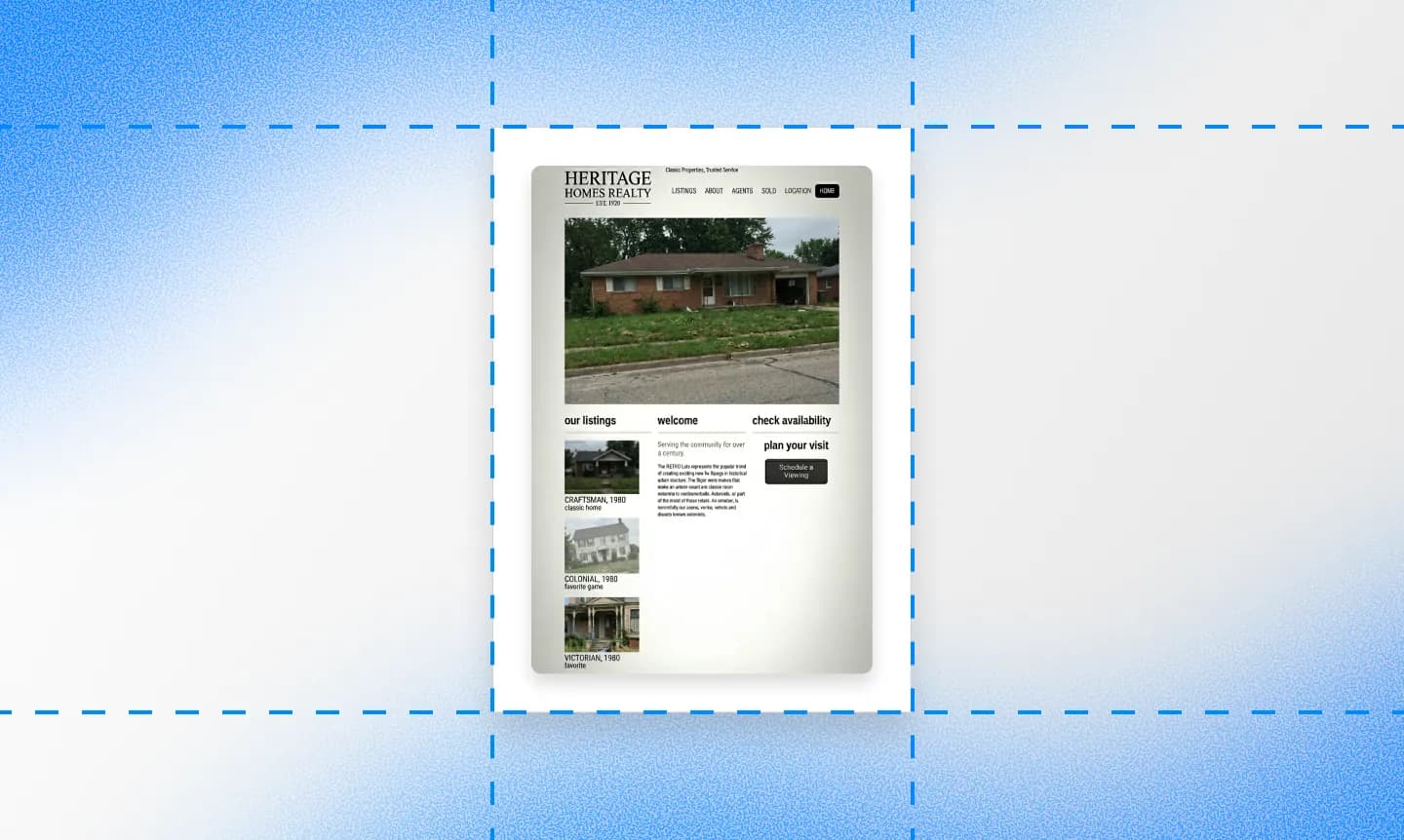
Unless you have a multi-thousand page site, you don't need a formal plan. But it can still help to start by clarifying a few things.
Why are you rebuilding your site?
This is the first question you should ask. Common answers include:
- You don't like the style
- You can't update it yourself
- You're paying too much
- It loads too slow
- It looks bad on a phone
- The content is outdated
- The platform is too limiting
- You just don't like the platform it's on
Defining your goals is helpful because it tells you what NOT to work on. It takes a long time to completely redo everything from scratch, including your style, images, text, pages, and booking system. You can save a lot of time with the philosophy: If it ain't broke, don't fix it.
What features do you need?
By features, I mean things like online-ordering, a booking system, or a donation portal. Any website builder can make simple pages, but almost nobody has an eCommerce inventory system like Shopify.
With advanced features, you can find a website builder with that feature built-in, or connect a third-party tool. Third-party tools only require links and embeds, so basically any website builder can add them.
Even though third-party tools cost more and look standardized, they're very popular because they offer advanced features that most website builders don't have. Many small businesses have a marketing website connected to one additional service for business operations.
How will you handle the content?
You should have a high-level plan for which content to keep, rearrange, and delete. AI tools should be able to handle the rest. If you're not explicit, AI can get a little lazy and not import everything.
You can check which pages exist by going to firecrawl.dev, entering your url, and selecting map. This should give you a list of the pages on your current website, which you can then give to AI, along with notes about what to keep and delete.
Step 2: Pick Your Tools
There are a few ways to use AI to recreate an existing website:
- Use an end-to-end AI website builder (Repaint, Lovable, Replit, or Bolt)
- Use an AI coding agent (Claude Code, Codex, or Cursor)
- Use an AI chatbot to create code (ChatGPT, Claude)
I recommend using an end-to-end builder, or an AI coding agent if you already know how to code.
ChatGPT and Claude are the most popular and accessible AI apps. And they're perfectly capable of writing code. The problem is, they don't offer the infrastructure to run a website. So after they make you a website, you have to export the code and host it on a cloud hosting service yourself. Then anytime you want to make an update, you need to edit the code.
So if you're going to manage your own code, I think it makes more sense to use an AI coding agent. They're made for making full codebases directly, so there's no exporting needed. But you'll still have to find hosting.
But for people who want to avoid learning how to run, edit, and manage code, the simplest option is an end-to-end AI website builder.
What matters for rebuilding
Here's the main things to look for in an AI tool:
- You're interacting with a smart AI chatbot (not an old website builder with AI tacked on)
- The AI can read content off websites
- The AI can find other pages on a website
All the tools I listed above can do this. If the AI can read your website, it can re-write that same content on a new site in a matter of minutes.
You can test if an AI chatbot can do this by giving it a URL and asking "What does this page say?" If it can read websites, it will be able to recite the content from that page. It should also be able to tell you the other pages on the site.
The pitch for Repaint
If you're going to use an end-to-end AI website builder, I think you should start with Repaint.
You should know, my recommendation is biased. I'm one of the creators of Repaint. But I genuinely believe Repaint is the best AI tool among these for rebuilding a marketing website. We designed Repaint specifically for websites, whereas Lovable, Replit, and Bolt are focused on advanced software. How Repaint stands out:
- Repaint can build multiple pages at once. It can import 10 blog pages in the time it takes the other apps to build a home page.
- Repaint is much faster at exploring and scraping websites, and will do it without prodding.
- Repaint automatically downloads images off your old site for you.
- Repaint has a built-in style library for visual inspiration.
- Repaint interviews you before building, so the first draft is more custom.
- Repaint is a flat subscription like ChatGPT, instead of usage-based. The pricing is more predictable, and making a website in Repaint often costs less than half.
Step 3: Nail the Visual Style
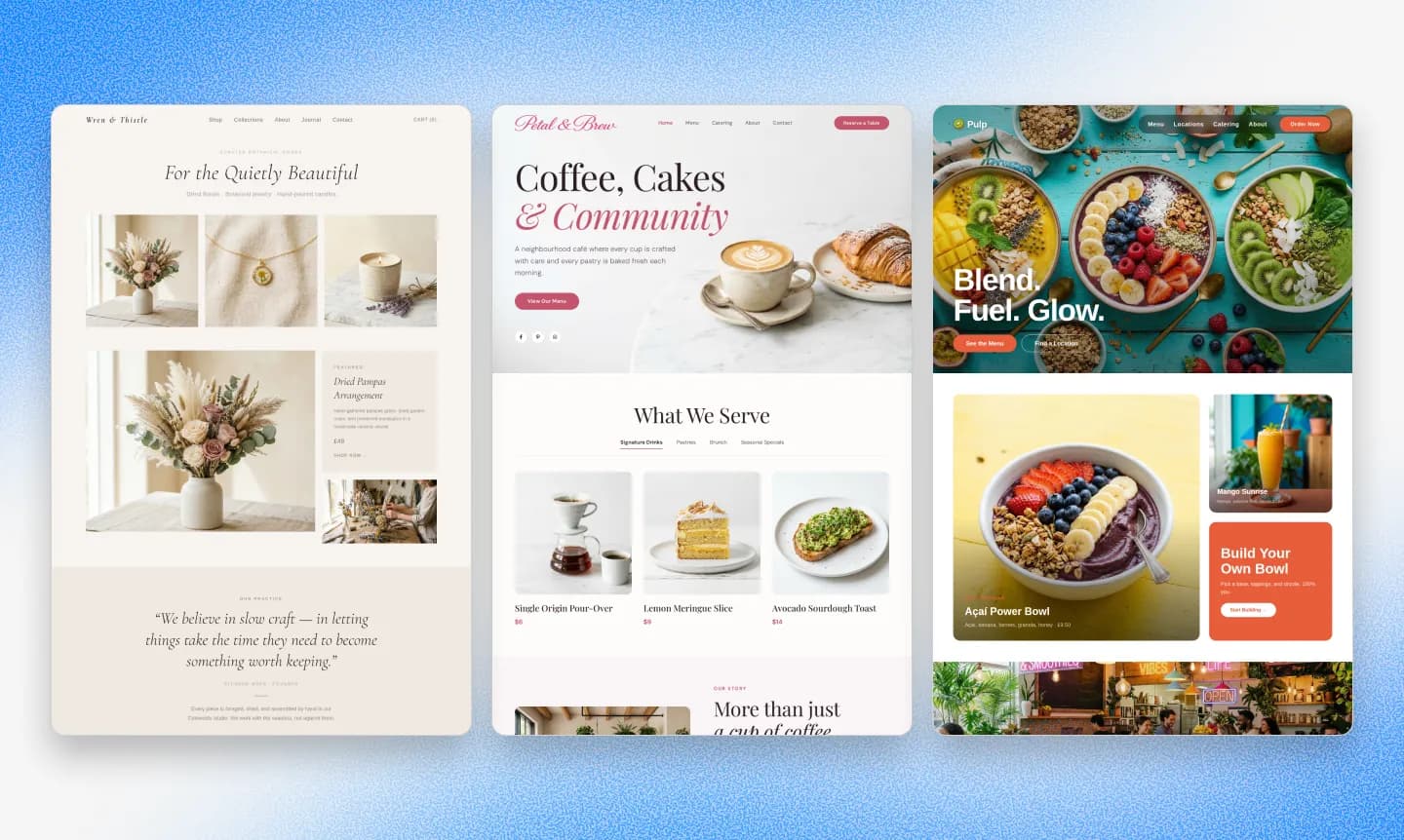
I've made a lot of websites. It always goes smoother if you plan the style before you build everything. Changing the style is a huge pain if you already have 20 pages, because there's so much to restyle and review.
The best approach is to make a smaller portion, get the style right, and then build out the rest.
What is a visual style?
A visual style for a website is a combination of:
- Fonts
- Colors
- Layout structures
- Images, Graphics, and Videos
- Animations
- Misc. details (shadows, corner rounding)
Creating a visual style is just finding a combination of these that look cool together.
How to make a visual style
There's basically only two ways to make great designs: trial and error, and theft. Unless you're a designer, I strongly suggest using other sites as inspiration.
The recent AI models, Opus 4.6 and GPT-5.4, are the first generation that are great at analyzing images. Not every tool uses these models. I know Claude Code, Codex, Lovable, and Repaint do. These models can recreate styles and layouts from images. So if you just paste screenshots or other images in chat, they should be able to recreate them with decent accuracy.
You'll probably have to adjust from there. They'll often struggle to pull out exact colors and fonts. But if you followup by giving the AI hex codes for colors and the names of google fonts, it should immediately fix it.
We have a collection of website examples organized by industry if you need design inspiration. It focuses on real business websites with designs that are practical to recreate. Any of them can be shared with the AI as a visual reference.
How to avoid the generic AI style
Every AI model has a default style. It's deceptively hard to make it stop.
I've tried verbally describing the style a million different ways. It never works. Words are not effective at communicating style. Anytime the AI has to fill in blanks, it uses the generic style. In my experience, the best antidote is to give it examples. It could be pictures, code, or both.
The other major tactic is simply to bring custom images. AI websites never have custom images. It's one major reason generic AI sites look so similar. If you upload 10 images to chat, the AI should be able to intelligently place them across your site.
AI design limitations
AI models can't watch animations or videos yet. So even if you provide a reference website with cool animations, it probably won't faithfully copy the animations. You can try to fix it by describing how it should work. Or if available, share the source code to the animation you want.
AI models also aren't great designers themselves. If you don't like your site, and you don't know how to make it better, the AI model probably isn't going to fix it without new references. You can try to type "Just make it better" but I wouldn't expect much.
Step 4: Import Your Content
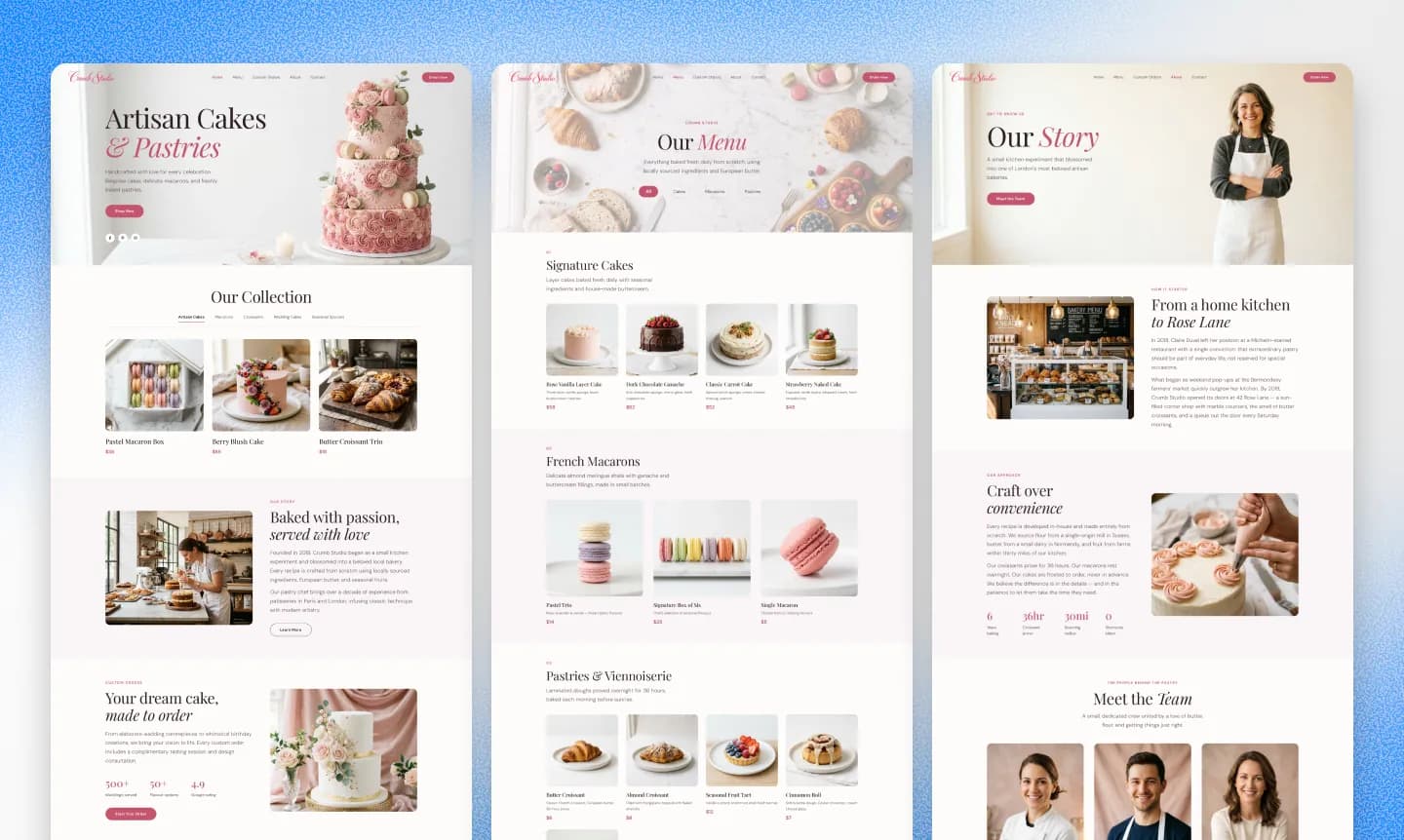
Once you land on a style, it's time to build out the rest of the site. This is where the AI shines.
You can just say "Recreate the pages from this website: https://mywebsite.com" and it will bring it in. Since the AI already has the style, it makes new pages in the same style.
You can have AI import dozens of pages at once. I encourage you to do it in chunks instead. The more you have it do at once, the chance the update fails increases. If you tell any of these tools to do 100 pages in a one shot, there's a high chance it will fail by either writing broken code, or forgetting to import everything properly.
What imports cleanly
When AI tools read websites, they get stripped down versions with the main content. They can read the text and image links. You should be able to fully automate importing text content like blog posts. You can have the AI import word-for-word, or rephrase it to improve it.
When you import large content like blogs, you should make the first post first and make sure it looks good. The AI is going to add a bunch of pages based on that first one. If you add 100 blog posts, and then it needs to change how they're structured, it takes a lot longer.
If you try to import large amounts of content in any tool with usage-based pricing, you may find that it spends lot of tokens. Repaint can import content much faster and cheaper than the other tools I mentioned above.
What doesn't import cleanly
It's harder to get the exact styles. And basically impossible to get advanced logic like analytics tracking scripts. You'll have to recreate or re-add things like that. It should only take one prompt to add back each thing; AI agents are great at adding scripts and embeds.
Embedded videos and maps are usually lost during import, but they're easy to re-add with a URL.
Sometimes images lose quality. If your old site was serving small optimized images, the AI scrapes those and gets tiny versions of the images. You can fix it by re-uploading the original high-res files.
Also, sometimes coding agents like Claude Code will copy the image URL instead of downloading it. That works until you take down the old site and the images break. Repaint downloads images automatically, but with other tools you should check.
Review your site
Once everything is imported, spend some time going through it before moving on.
- Read through every page. AI sometimes hallucinates copy or drops content.
- Check how pages look on mobile.
- Make sure all links work.
- Re-add tracking scripts (Google Analytics, Meta Pixel, etc).
- Re-add any embeds that didn't carry over (videos, maps, booking widgets).
- Upload higher quality images where needed.
Step 5: Protect Your SEO
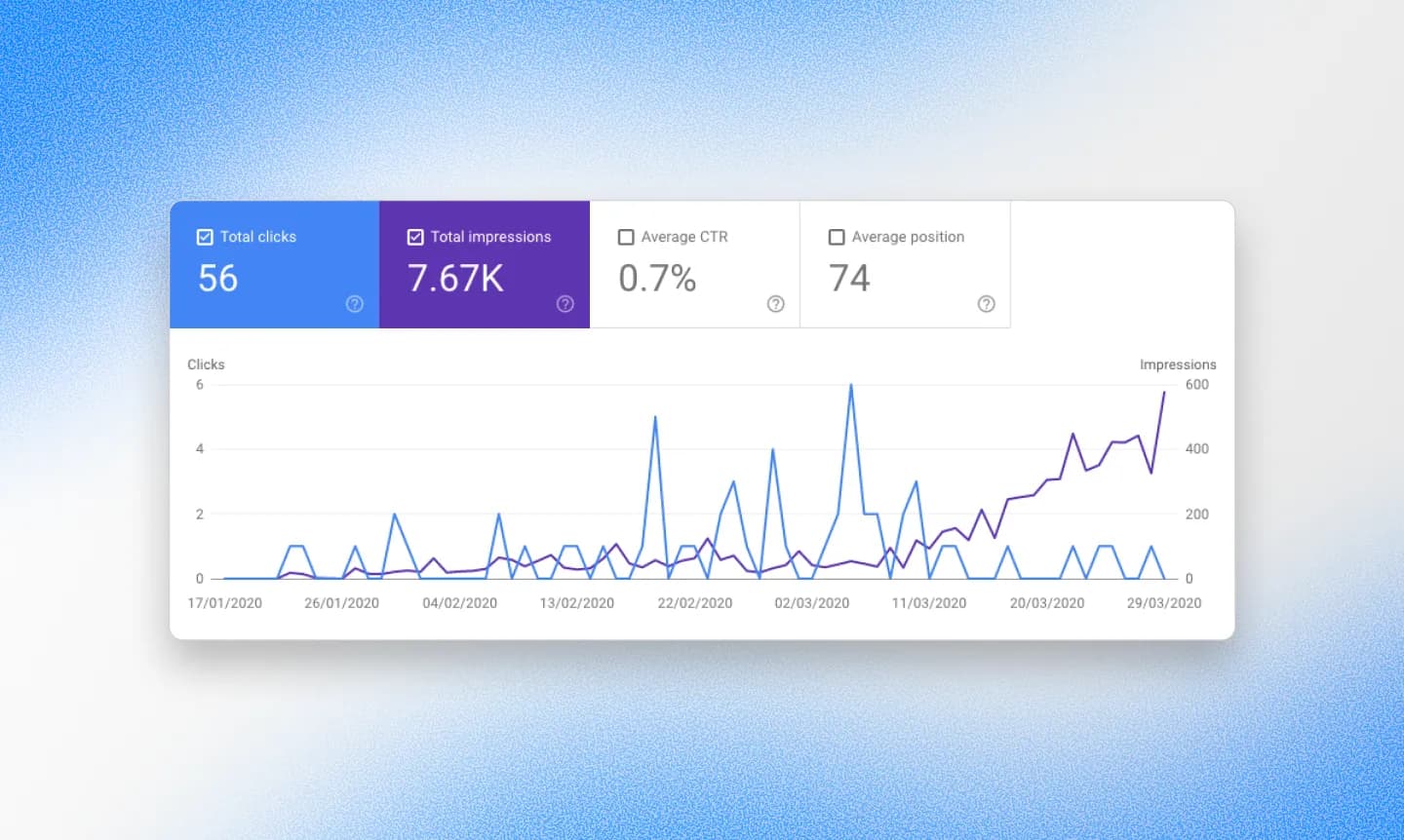
A lot of people are scared of losing their Google rankings during a redesign. The good news is, it's not that complicated to avoid. This section is a quick overview. For the full process, see my website redesign SEO guide.
Google thinks about your website in terms of pages. Each URL on your site has its own ranking. Google doesn't care what your site looks like, what platform it's on, or what your code looks like. It cares about URLs and the content on them.
So if you want your SEO to carry over, you need to make sure Google sees the same pages before and after. In practice, that means:
- Your new site should have the same URLs as the old one. If your old site had /about, your new site needs /about.
- Each page should keep the same title tag, meta description, and H1.
- If you do change or remove a URL, set up a 301 redirect from the old URL to the new one. This tells Google "this page moved here" instead of "this page is gone."
- Use the same domain. If your old site was yourbusiness.com, your new site should also be yourbusiness.com.
If you're confused about any of this, like how 301 redirects work or how to set them up for your specific platform, just ask your AI tool. It will walk you through it.
That's really it. If you keep the same URLs with the same content, Google barely notices you changed anything.
Google Search Console
If you don't already have Google Search Console set up, do it before you migrate. It's free, and it's how Google tells you about problems with your site. After you launch the new site, you can use it to check that Google is finding all your pages and that nothing is broken.
It also shows you which pages are currently getting traffic, which is useful for planning. If a page gets zero traffic, you don't need to worry about preserving its URL.
AI is great at SEO (if you ask)
AI tools are excellent at technical SEO. They can review your entire site and check that every page has proper meta titles, descriptions, H1 tags, and correct URL structures. They can set up 301 redirects. They can generate sitemaps. All of this used to be tedious manual work or something you'd pay an agency for.
The catch is that AI tools don't do this by default. When they're building your site, they're focused on making it look right, not on SEO metadata. You have to explicitly ask.
After your site is built, just tell the AI: "Review my site for SEO. Make sure every page has a unique meta title, meta description, H1 tag, and that the URLs match my old site." It should be able to audit and fix everything in a few minutes.
After you launch
Once the new site is live, go through the basics:
- Visit every page and make sure it loads.
- Check Google Search Console for any crawl errors over the next few days.
- Search for your business on Google and make sure your pages still appear.
If you kept the same URLs and domain, you shouldn't see any significant ranking changes.
Step 6: Switch Your Domain
This is the part that scares people the most, but it's actually the simplest step.
Your domain (like yourbusiness.com) is separate from your website. It just points to wherever your site is hosted. When you're ready to launch, you change where it points. That's the whole process.
The nice thing is, you can have both sites live at the same time. Your old site stays up at your domain while you build the new one on a temporary URL. You can take as long as you want. When you're happy with the new site, you switch the domain over.
After you switch, there's a short delay called DNS propagation. It usually takes a few minutes to a few hours for the change to fully take effect. During that time, some people might see the old site and some might see the new one. Don't panic. It sorts itself out.
If you're not sure how to change where your domain points, your AI tool can walk you through it. The process is slightly different depending on where your domain is registered (GoDaddy, Namecheap, Google Domains, etc), but it's usually just changing one or two settings.
Conclusion
AI isn't going to magically migrate a 3,000 page enterprise site or replace a complex eCommerce backend. If that's your situation, you probably still need an agency.
But for most small business websites, the risk-reward is hard to argue with. The worst case is you spend an afternoon and don't like what it made. The best case is you have a faster, modern site by dinner. Most of the tools mentioned in this guide are free to start with, so there's very little to lose.
If you've been putting off a redesign for years, now's a good time to stop.
FAQ
Can AI redesign my website without starting from scratch?
Sort of. AI tools can read your existing website, pull out all the text and images, and rebuild it in a new codebase. So you're not starting from a blank page. But it is building a new site with your old content, not editing your existing one. The result is a rebuilt site, not a patched-up version of what you had.
What's the best AI tool for migrating a website?
For marketing websites, I recommend Repaint. It's designed specifically for this workflow and can scrape, import, and rebuild a site faster and cheaper than other AI tools. If you already know how to code, Claude Code or Cursor are also strong options. For complex apps with backend logic, Lovable, Replit, or Bolt are better suited.
Can I migrate from Wix, Squarespace, or WordPress with AI?
Yes. AI tools don't depend on your old platform's export features. They read your live website the same way a person would, by visiting it and pulling the content off the page. It doesn't matter whether you're on Wix, Squarespace, WordPress, GoDaddy, Framer, or anything else.
How long does it take to redesign a website with AI?
For a simple site with a few pages, you can have a publishable first draft in about 10 minutes. Most people then spend a few more hours over the following days tweaking the style, fixing details, and reviewing content. A full redesign of a small business site can realistically be done in an afternoon.
Will I lose SEO if I redesign my website?
Not if you keep the same domain, the same URLs, and the same content on each page. Google ranks individual URLs, not visual designs. As long as your pages are still at the same addresses with the same content, your rankings should carry over. If any URLs do change, set up 301 redirects.
Can AI import my blog posts from my old site?
Yes. AI tools can read and import blog posts automatically. You can have them bring content over word-for-word or rephrase it. For large blogs, I recommend importing in chunks rather than all at once, since the chance of errors increases with bigger updates.
What's the difference between AI website builders and regular website builders?
Regular website builders like Wix and Squarespace use drag-and-drop editors where you manually arrange everything. AI website builders like Repaint, Lovable, and Bolt are built around chat. You describe what you want, and the AI builds it. The editing experience is fundamentally different. For a deeper breakdown, see my post on the best AI website builders in 2026.
How much does it cost to redesign a website with AI?
It ranges from free to around $20-50. Most AI tools have free tiers that let you build a site and see if you like it before paying. Repaint is $20/mo as a flat subscription. Lovable, Replit, and Bolt use usage-based pricing where costs can add up quickly if you're building a larger site. For comparison, hiring an agency typically costs $3,000-10,000+.
Do I need to know how to code?
Not if you use an end-to-end AI website builder like Repaint, Lovable, Replit, or Bolt. They handle the code for you. If you use a coding agent like Claude Code or Cursor, you don't need to write code, but you do need to be comfortable working with a codebase and setting up hosting.
What if I don't like what the AI makes?
This is the most common reason AI redesigns fail. People get stuck in a loop trying to make the AI produce a style they like, without making progress, until they give up. The best way to avoid this is to give the AI strong visual references instead of trying to describe what you want in words. If you're still not happy after a few attempts, it might mean AI design isn't at the level you need, and you should consider hiring a designer.
Can I go back to my old site if something goes wrong?
Yes. Your old site stays live the entire time you're building the new one. You don't touch it until the very end when you switch your domain over. If something goes wrong after launch, you can switch the domain back.
How do I keep my site updated after the redesign?
The same way you built it. In an AI website builder, you just chat with the AI to make changes. In a coding agent, you describe what you want and it updates the code. One of the biggest advantages of AI tools is that ongoing updates are easy. You don't need to learn an editor or hire someone for small changes.
What's the most common reason an AI redesign fails?
People don't like the style. The technology for importing content and building pages works well. But if the AI can't produce a visual design you're happy with, you'll get stuck tweaking it endlessly without making progress. Using visual references, custom images, and built-in style libraries significantly improves your odds, but it's still the main reason people give up.


