
Turn a PowerPoint into a website with AI
Generate a custom website from your slides, refine it by chatting with AI, and publish in minutes.

- Generate a website with AI
- Extract text and images
- Edit anything with chat
- Publish on your domain
Extract your content.
Repaint extracts the text, images, and design from your slides to build you a custom website.


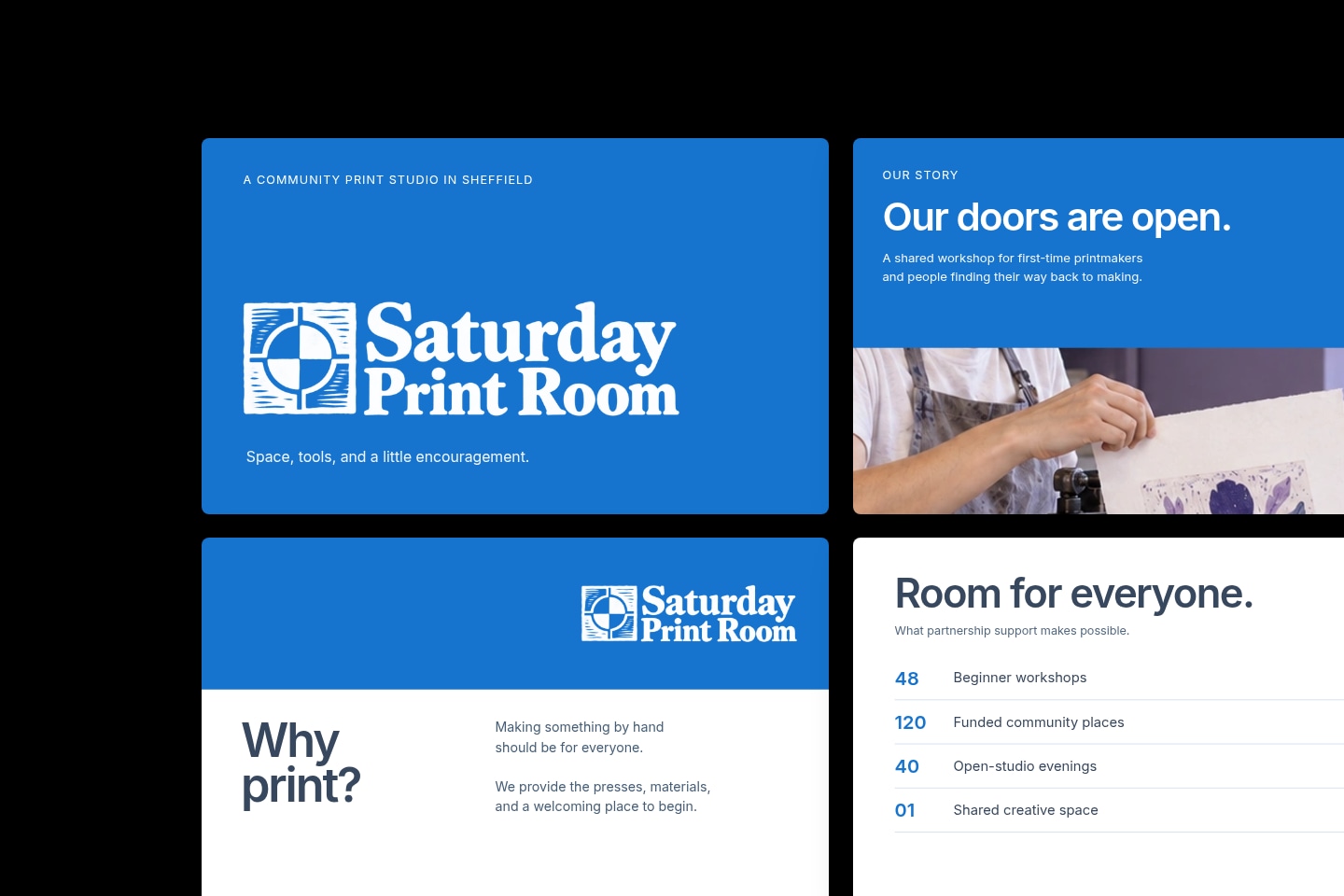
Generate full websites.
Repaint turns your slides into a complete website, with multiple pages, navigation, forms, and more.



How to turn a PowerPoint into a website
Repaint reads the text, images, and design from your slides to customize your site.
Repaint uses your instructions and content to build you a full website.
Ask for changes in plain language. Repaint can do anything from small edits to a full redesign.
Go live on the internet in one click, directly from Repaint.
Point your domain at your website, or use a Repaint subdomain during your free trial.



From PowerPoint to website in minutes
You can go from uploading your deck to publishing your website in minutes. Repaint does the design work and fills the pages from your slides, so all you have to do is review the result and ask for adjustments. Changes stay just as fast after launch, which makes it easy to keep the site up to date.
Get a custom design
Repaint does the work of a web designer. It draws the colors and typography from your deck, and designs the website around your content. The result is a custom design that looks like your brand.
You get the final say, too. You can restyle the whole site with a single chat request, and keep adjusting until it looks the way you want.
Get more from work you've already done
A finished deck already holds your story, your images, and your brand. Repaint works straight from it, so everything lands on your website without you rebuilding it piece by piece inside a site editor. The effort you put into the deck carries over into the site.
Get found on Google
A website gives the content in your slides its own pages, navigation, and a layout that works on phones. Repaint adds page titles and descriptions that help search engines understand each page, so people can find and explore your work without opening a presentation.
FAQ
Upload your .pptx file to an AI website builder like Repaint. It reads the text, images, and design from your slides, then generates a full website from that content. You refine the site by chatting with the AI, and publish in one click when you're ready. There's no coding and no retyping your slides into a template. Uploads are currently limited to 16 MB per file.
If a few specific people need the deck, a OneDrive or SharePoint share link works. You can upload the file, choose Share, and send out the link, which opens the deck in PowerPoint for the web. The viewer sees the slides themselves, so it's a good fit when you want someone flipping through the actual deck.
If the link is for a wider audience, you're better off turning the deck into a website with an AI website builder like Repaint. It can build a complete website from your slides and publish it in one click. The link you share opens in any browser and reads like a normal web page, even on a phone.
Yes. In Google Slides, go to the File menu, choose Download, and pick Microsoft PowerPoint (.pptx). Upload that file to Repaint and everything works the same from there. Repaint reads your slides and generates a website from them.
Google's own publish-to-web option is different. It puts your unchanged slides at a public URL, which is handy for embedding a presentation but doesn't give you a real website.
Upload the deck to OneDrive, open it in PowerPoint for the web, and choose Embed from the File menu to get an iframe you can paste into your page. Google Slides offers a similar embed through publish-to-web. Both show your literal slides in a small frame the visitor clicks through.
If you want the content to feel like part of the site, you should convert the deck instead of embedding it. You can upload the deck and ask Repaint to add its content to your site, and the slides become real pages automatically.
Modern versions of PowerPoint don't export HTML directly, so the usual route is a converter. Online PPT-to-HTML tools and HTML5 presentation exporters turn your slides into web-viewable files, which works if you need the deck itself playing inside a browser.
If what you actually want is a website, the more direct route is an AI website builder like Repaint. It can turn your slide content into a finished, hosted website, and you never have to touch the code.
You can try Repaint free for 14 days. The trial includes website building, publishing, and business features, with a weekly AI usage allowance.
Paid plans start at $25 per month. When the trial ends, your workspace is paused until you start a paid plan. Your websites go offline, and you can no longer accept payments, send emails, or chat with the AI. Your work stays saved, and you can reactivate your workspace anytime with a paid plan. See our pricing page for plan details.