
A Picture Is Worth a Thousand Tokens
What we learned trying to make AI design websites that don't look like slop

Ben Shumaker · Apr 9, 2026
Part of my job at Repaint is to get AI to generate websites that actually look good. It's surprisingly hard. AI models tend to fall into the same visual tropes over and over. It's so consistent that an "AI website" is becoming a recognizable aesthetic.
We tested dozens of ways to break that pattern. Along the way, we got a much deeper understanding of the models, which we wanted to share.
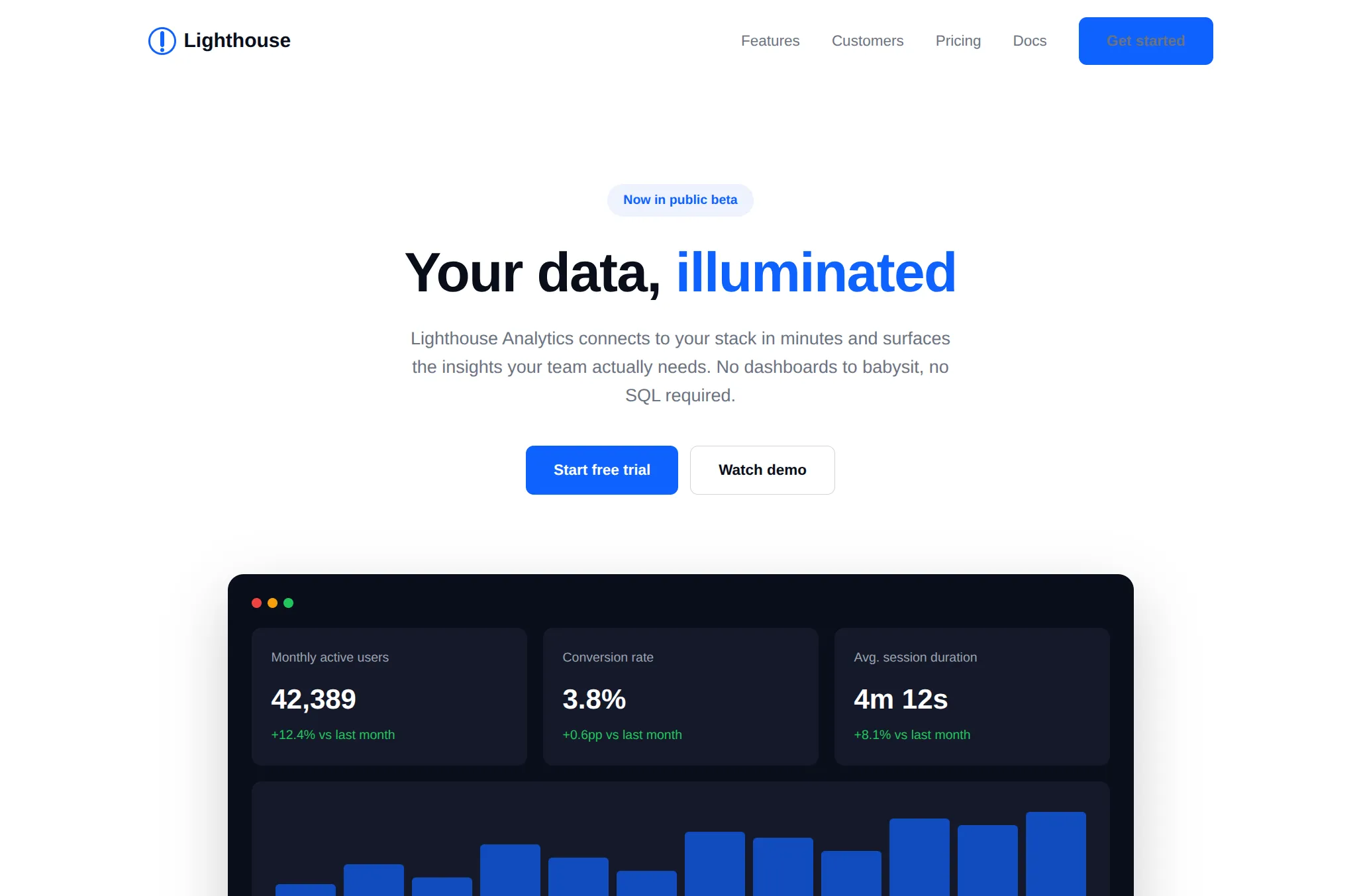
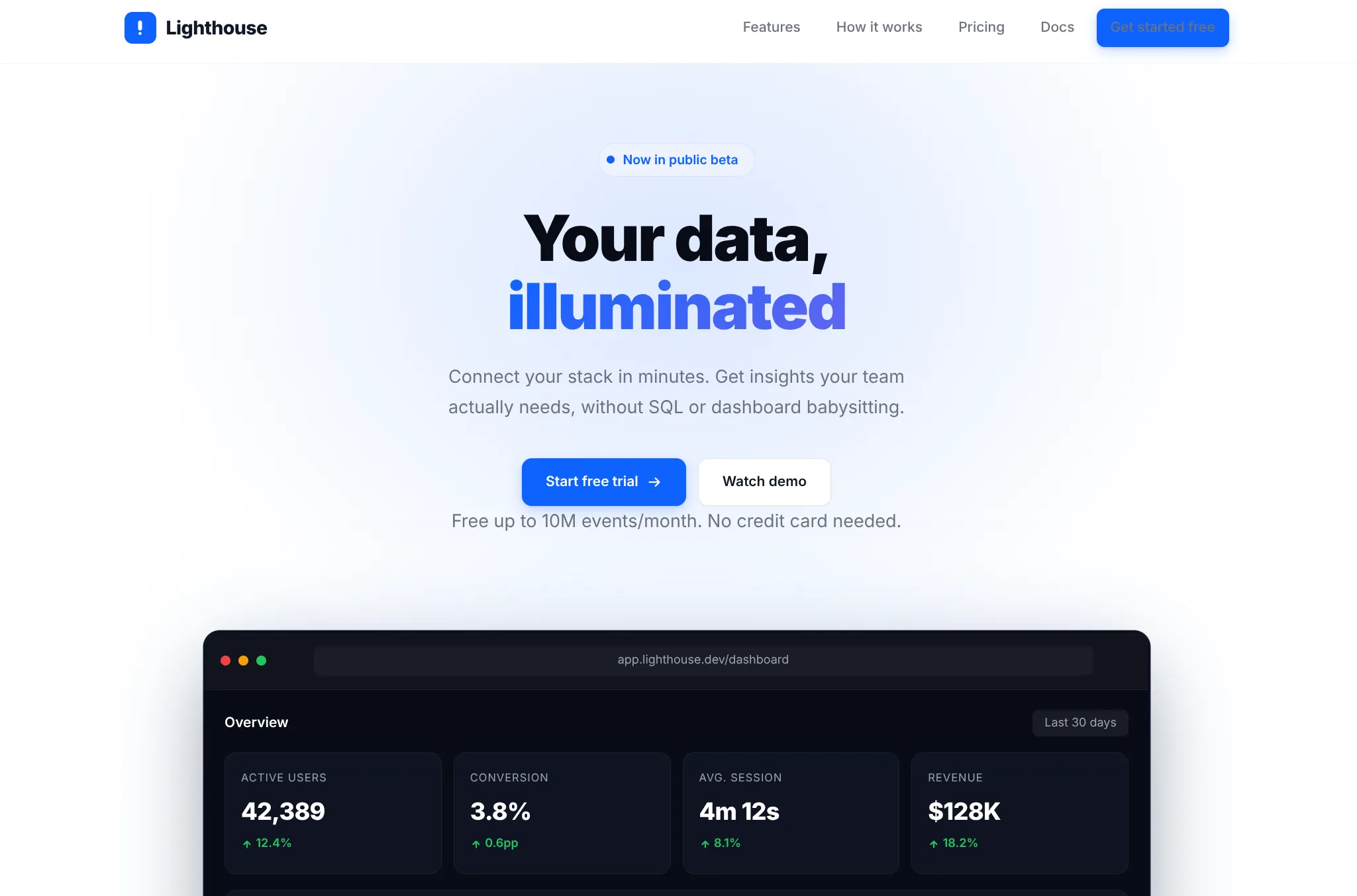
This is a pretty standard out-of-the-box AI website: generic style, minimal content, and overused layouts. And of course, the occasional unreadable button.
I only gave it a tiny amount of direction. That may seem unfair, but I think it's a good test. Obviously if you keep prompting, you could progressively turn this into a great website. But then you're doing all the design. The model is just coding. Most people don't know how to do that. The big unlock is when AI can do design without a human specifying every detail.
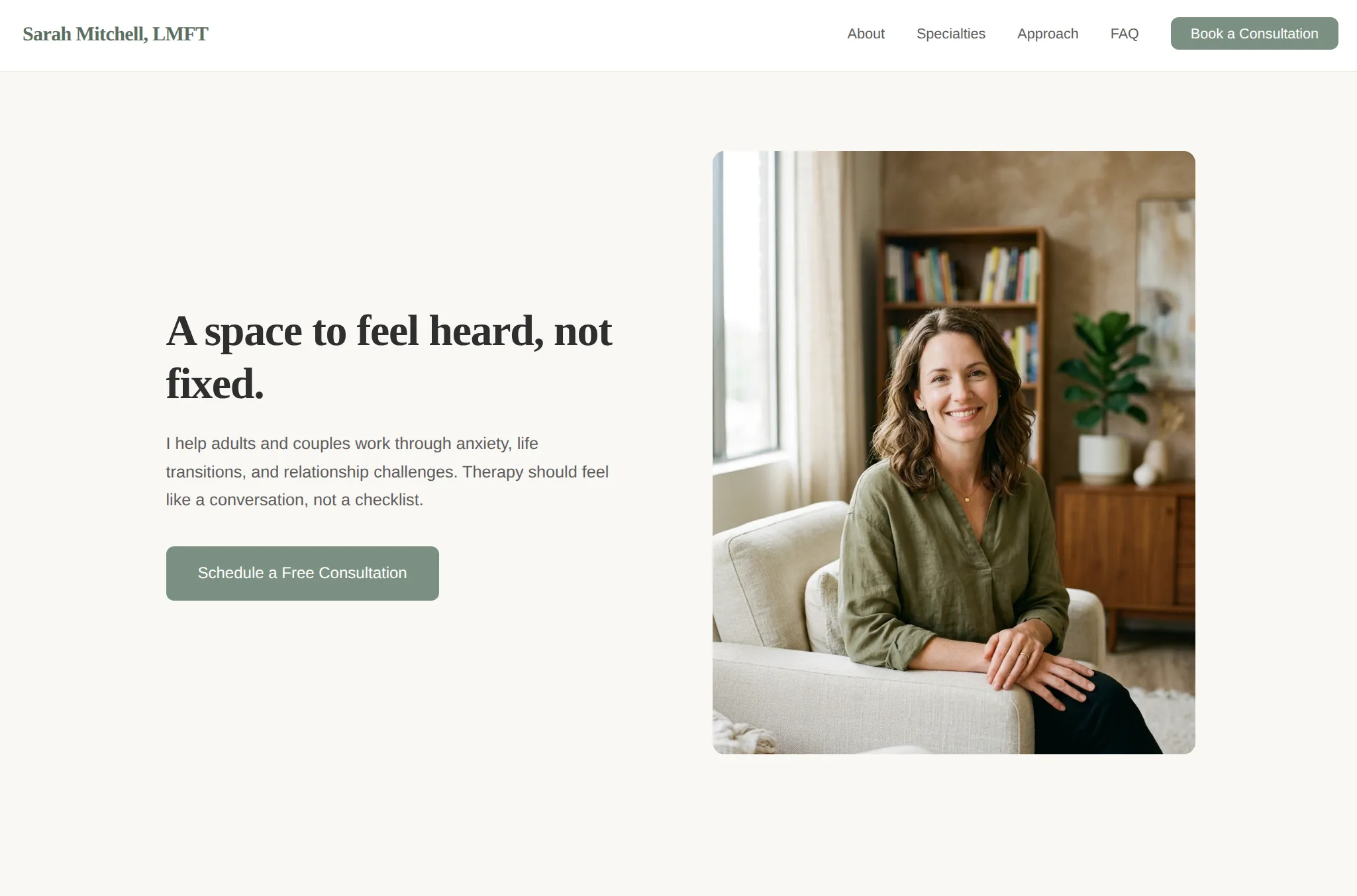
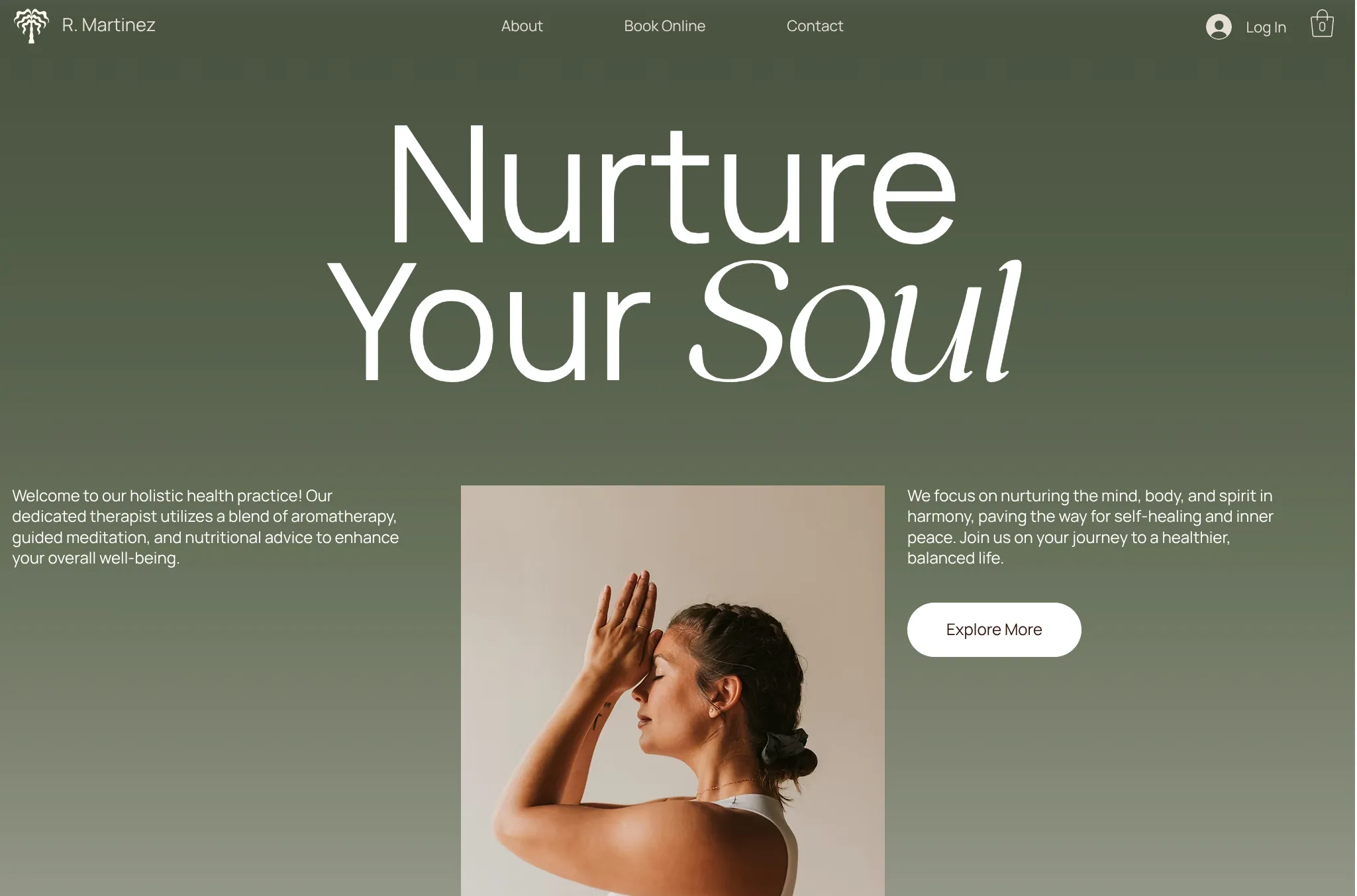
The default AI style is basically a universal problem. Here it is on a therapist site. You'd think a therapist site would look dramatically different. But no, it just makes roughly the same site with green buttons.
How can you improve AI websites?
Design systems
An obvious first move: pre-build the colors, fonts, rounding, and shadows. These decisions are hard to get right when you're just looking at code. Starting the AI on a good set means fewer ways to mess up.
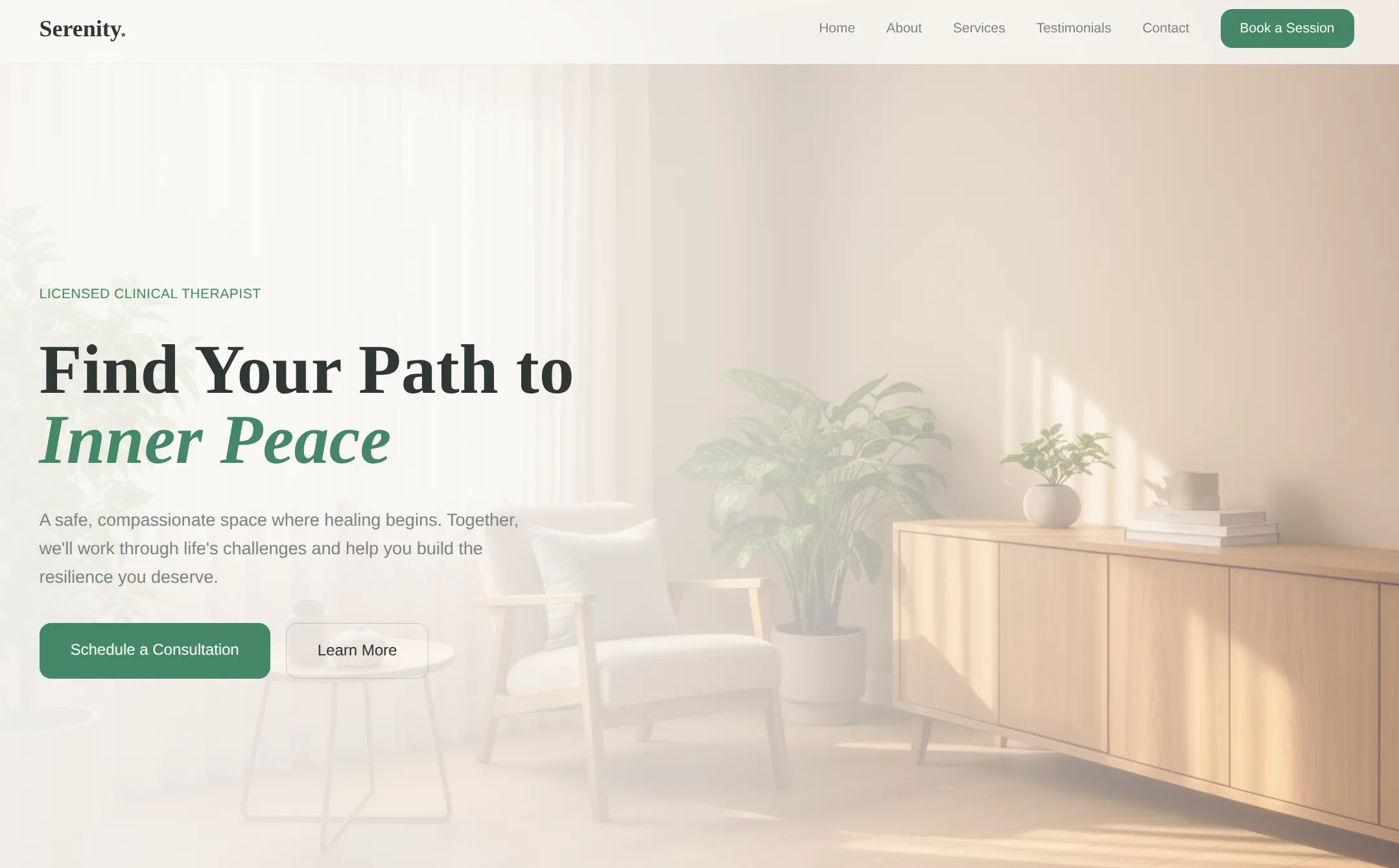
It helps a little bit. You get fewer egregious color mistakes. And it used an image background here. But overall the layouts, content density, and overall structure are basically the same. A design system gives the model a palette; it doesn't teach it how to compose.
Coaching
Another approach: give the model a big set of instructions on how to design. Prompt it to do things it wouldn't normally do. The main Claude AI chatbot has a skill that does exactly this:
This skill guides creation of distinctive, production-grade frontend interfaces that avoid generic "AI slop" aesthetics. Implement real working code with exceptional attention to aesthetic details and creative choices.
The user provides frontend requirements: a component, page, application, or interface to build. They may include context about the purpose, audience, or technical constraints.
Design Thinking
Before coding, understand the context and commit to a BOLD aesthetic direction:

Purpose: What problem does this interface solve? Who uses it?
Tone: Pick an extreme: brutally minimal, maximalist chaos, retro-futuristic, organic/natural, luxury/refined, playful/toy-like, editorial/magazine, brutalist/raw, art deco/geometric, soft/pastel, industrial/utilitarian, etc. There are so many flavors to choose from. Use these for inspiration but design one that is true to the aesthetic direction.
Constraints: Technical requirements (framework, performance, accessibility).
Differentiation: What makes this UNFORGETTABLE? What's the one thing someone will remember?

CRITICAL: Choose a clear conceptual direction and execute it with precision. Bold maximalism and refined minimalism both work - the key is intentionality, not intensity.
Then implement working code (HTML/CSS/JS, React, Vue, etc.) that is:

Production-grade and functional
Visually striking and memorable
Cohesive with a clear aesthetic point-of-view
Meticulously refined in every detail

Frontend Aesthetics Guidelines
Focus on:

Typography: Choose fonts that are beautiful, unique, and interesting. Avoid generic fonts like Arial and Inter; opt instead for distinctive choices that elevate the frontend's aesthetics; unexpected, characterful font choices. Pair a distinctive display font with a refined body font.
Color & Theme: Commit to a cohesive aesthetic. Use CSS variables for consistency. Dominant colors with sharp accents outperform timid, evenly-distributed palettes.
Motion: Use animations for effects and micro-interactions. Prioritize CSS-only solutions for HTML. Use Motion library for React when available. Focus on high-impact moments: one well-orchestrated page load with staggered reveals (animation-delay) creates more delight than scattered micro-interactions. Use scroll-triggering and hover states that surprise.
Spatial Composition: Unexpected layouts. Asymmetry. Overlap. Diagonal flow. Grid-breaking elements. Generous negative space OR controlled density.
Backgrounds & Visual Details: Create atmosphere and depth rather than defaulting to solid colors. Add contextual effects and textures that match the overall aesthetic. Apply creative forms like gradient meshes, noise textures, geometric patterns, layered transparencies, dramatic shadows, decorative borders, custom cursors, and grain overlays.

NEVER use generic AI-generated aesthetics like overused font families (Inter, Roboto, Arial, system fonts), cliched color schemes (particularly purple gradients on white backgrounds), predictable layouts and component patterns, and cookie-cutter design that lacks context-specific character.
Interpret creatively and make unexpected choices that feel genuinely designed for the context. No design should be the same. Vary between light and dark themes, different fonts, different aesthetics. NEVER converge on common choices (Space Grotesk, for example) across generations.
IMPORTANT: Match implementation complexity to the aesthetic vision. Maximalist designs need elaborate code with extensive animations and effects. Minimalist or refined designs need restraint, precision, and careful attention to spacing, typography, and subtle details. Elegance comes from executing the vision well.
Remember: Claude is capable of extraordinary creative work. Don't hold back, show what can truly be created when thinking outside the box and committing fully to a distinctive vision.
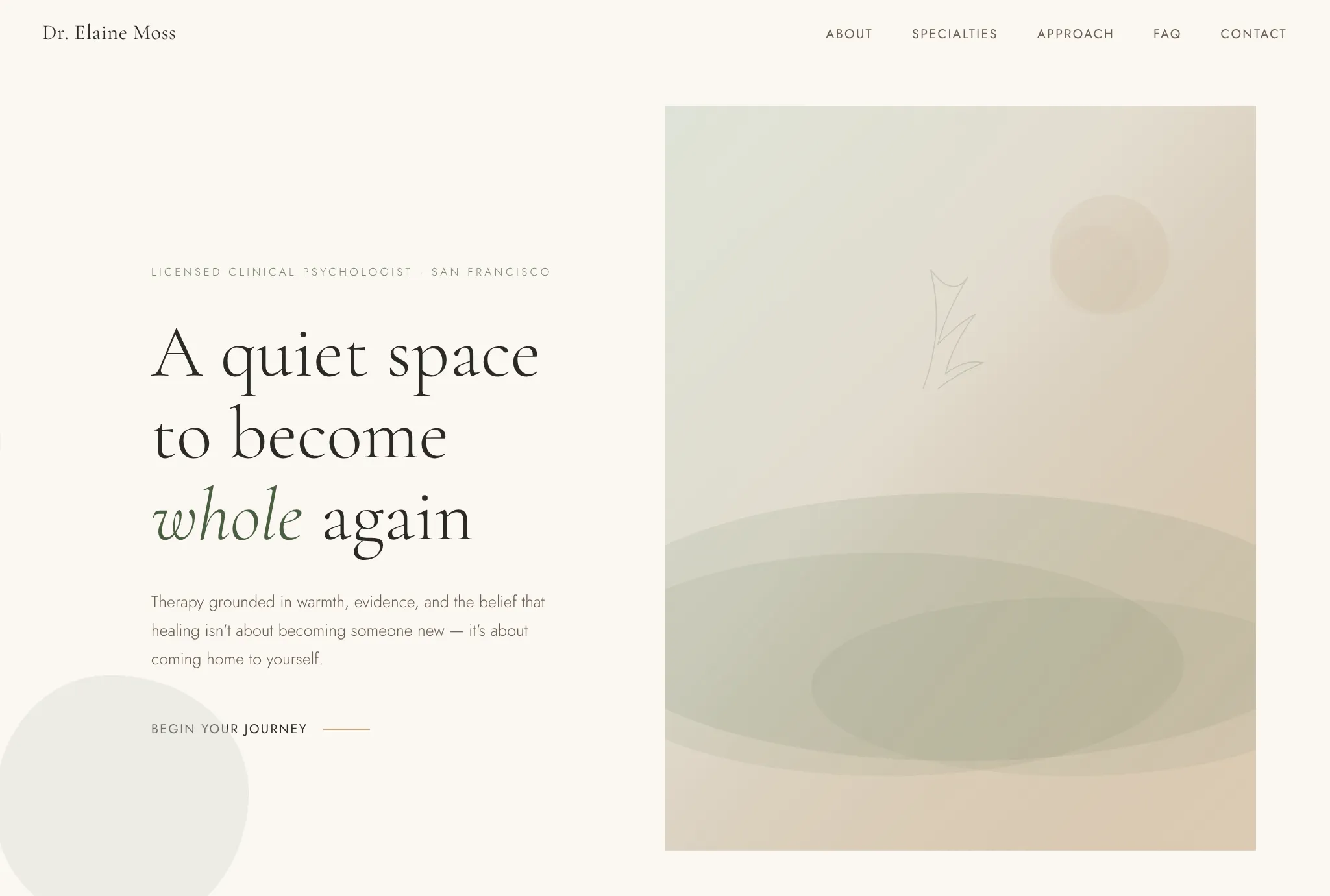
It's a real improvement. The overall layout is similar to before. But it finally looks like a real therapist site, with softer fonts and a unique button style. If you swapped in your image, you could totally publish this.
In our tests, we found that custom instructions don't fix repetition. The model still reaches for the same patterns, so it still basically looks like the standard AI site. Just a much nicer version of it.
Also, it's harder to avoid overused patterns than Claude's prompt would suggest. They say:
NEVER use generic AI-generated aesthetics like overused font families (Inter, Roboto, Arial, system fonts)
So instead, the model overuses other fonts like Jost and Cormorant Garamond. And now it can't handle situations where Inter is the right choice. So basically, you can force out its bad habits, but one way or another, it's going to do the same things repeatedly.
Reference images
What if you skip words entirely and just show the model what you want? Feed it a screenshot of a design you like and ask it to build something similar.
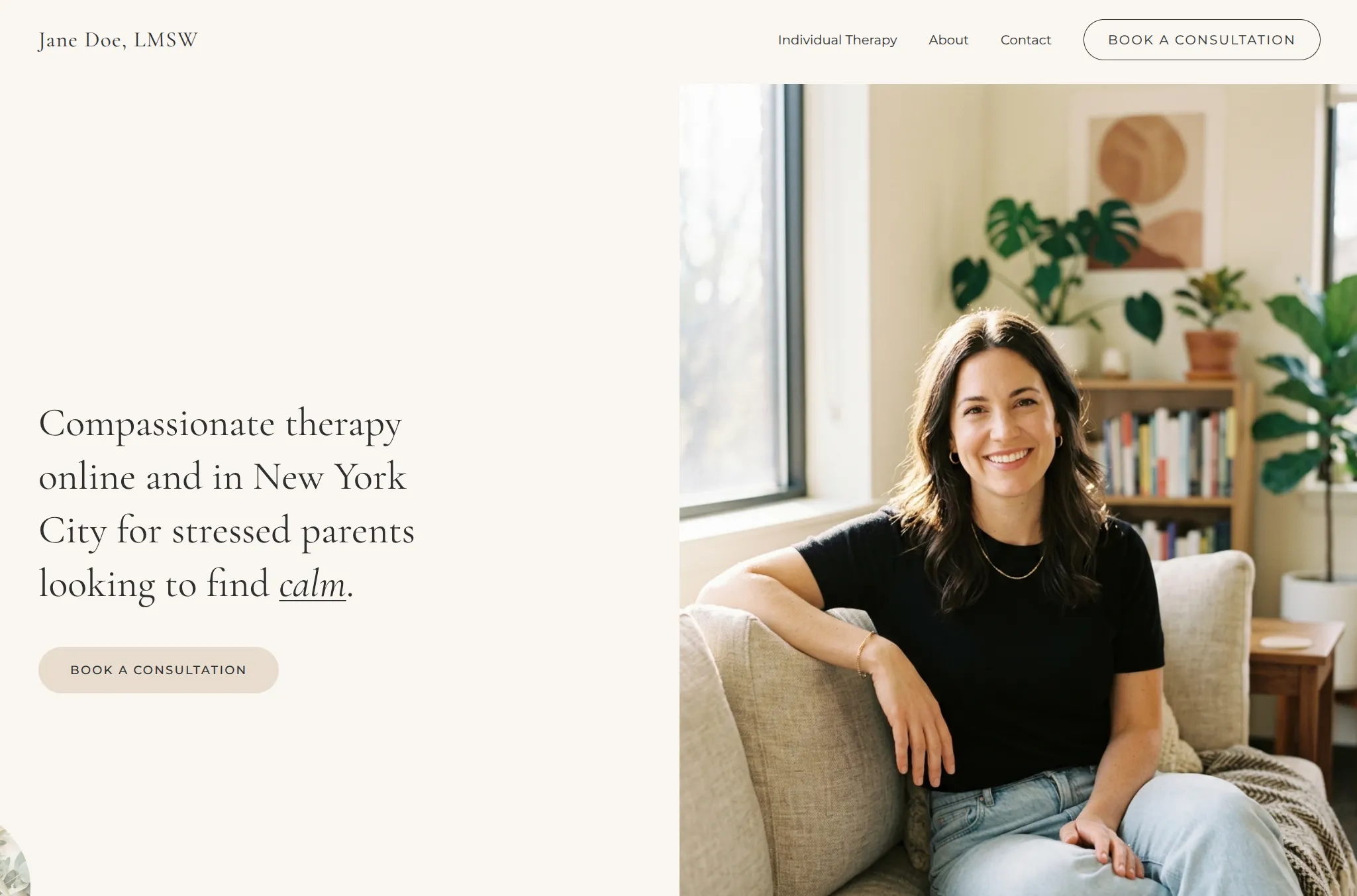
This was the first tactic where the model made new layouts outside the same 2-3 it always does. It never does a half-screen image on its own.
Images are a super efficient way to share a lot of info. The model picks up on layout, spacing, color relationships, and density all at once: things you'd never think to describe in a prompt. But it's fragile. It can't reproduce complex layouts or animations. And if the model has to fill in more content outside the reference, it snaps back to the default.
Code and style templates
This is perhaps the most brute-force idea. Just give it code. This is what ChatGPT does right now. It uses a template library when it makes sites.
When you do this, obviously the quality jumps a lot. You're just giving the AI answers. But most people don't already have code for what they want. So this is mostly a tactic for platform builders, making a tool for other people.
Although there is a catch:
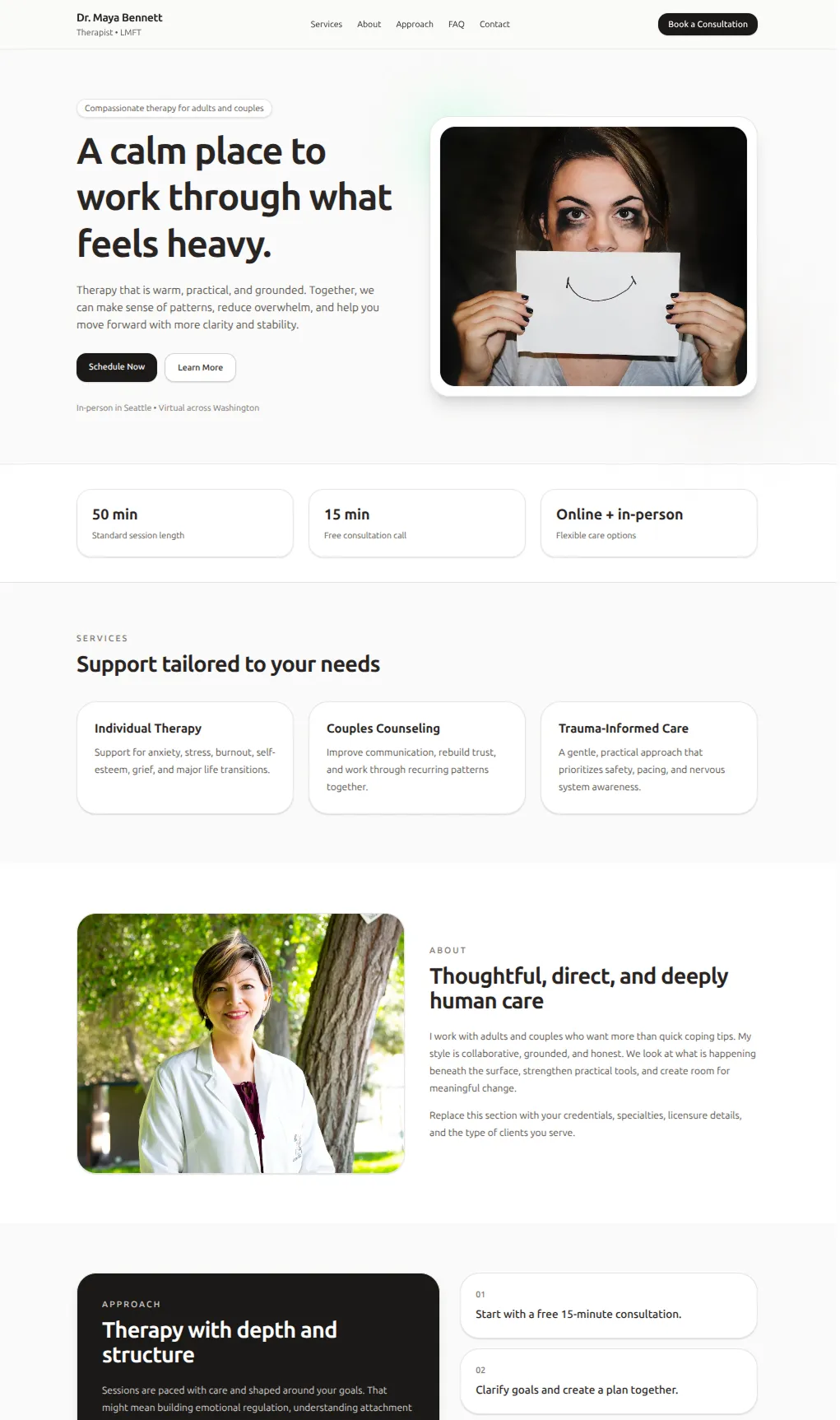
"Make a therapist website"
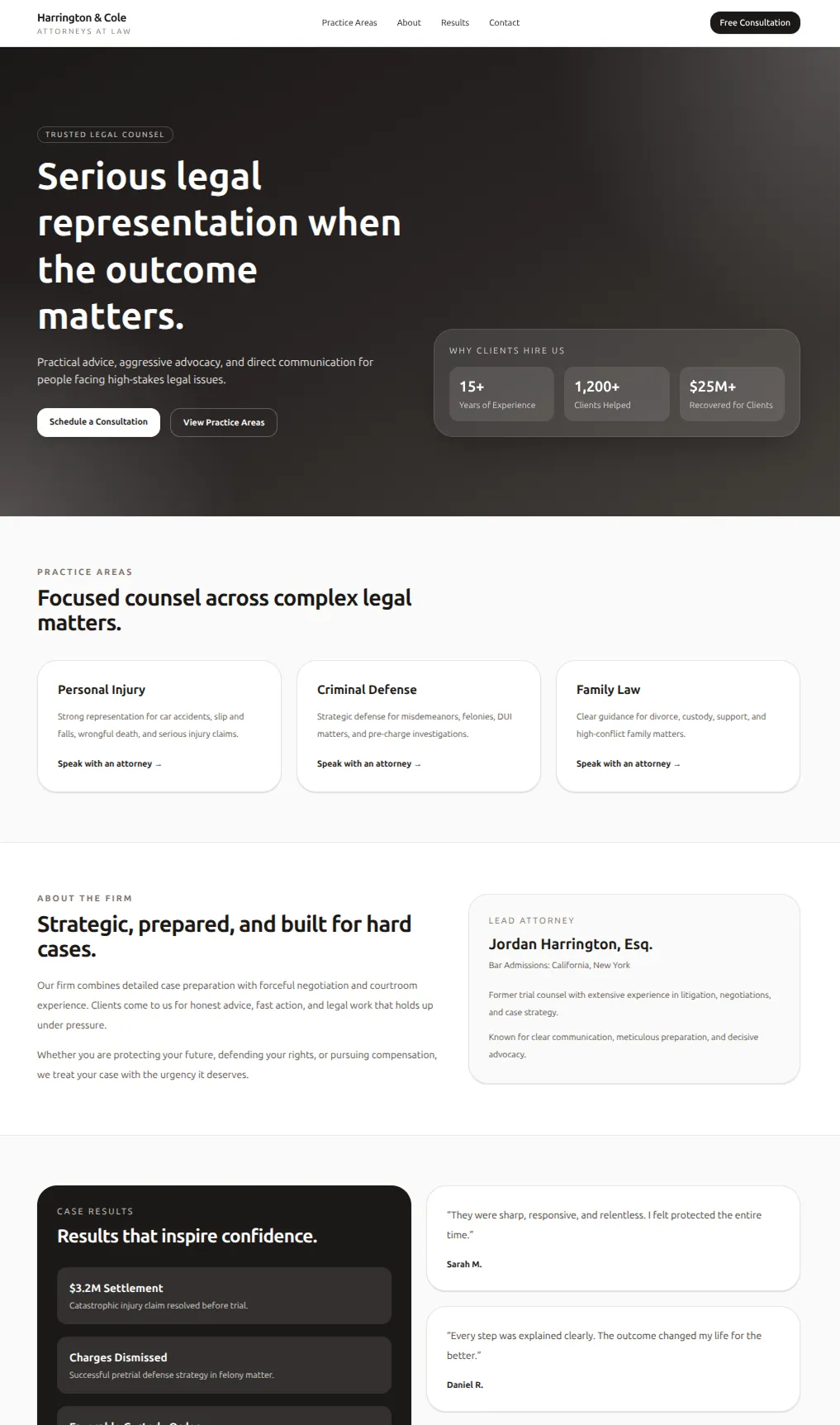
"Make a lawyer website"
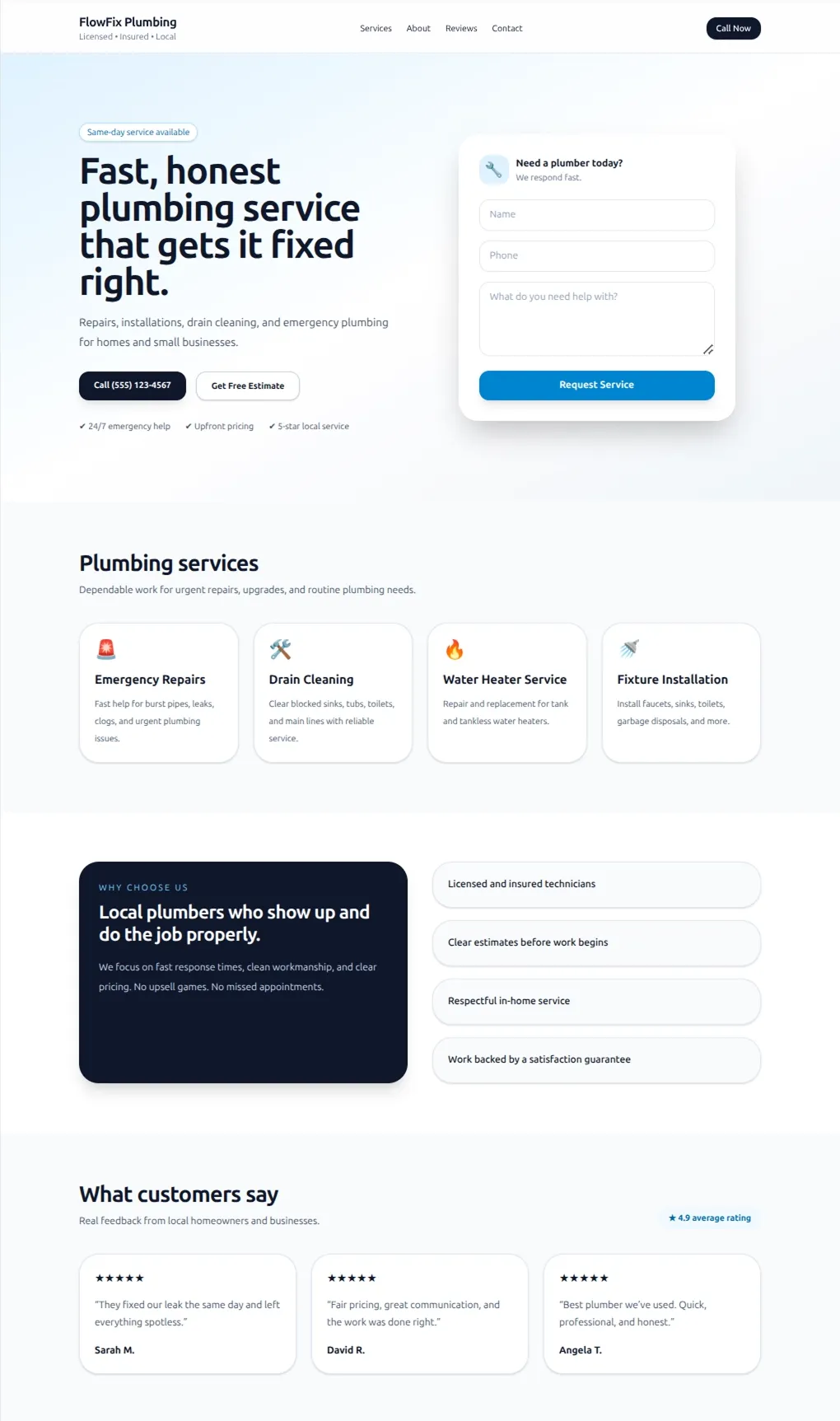
"Make a plumber website"
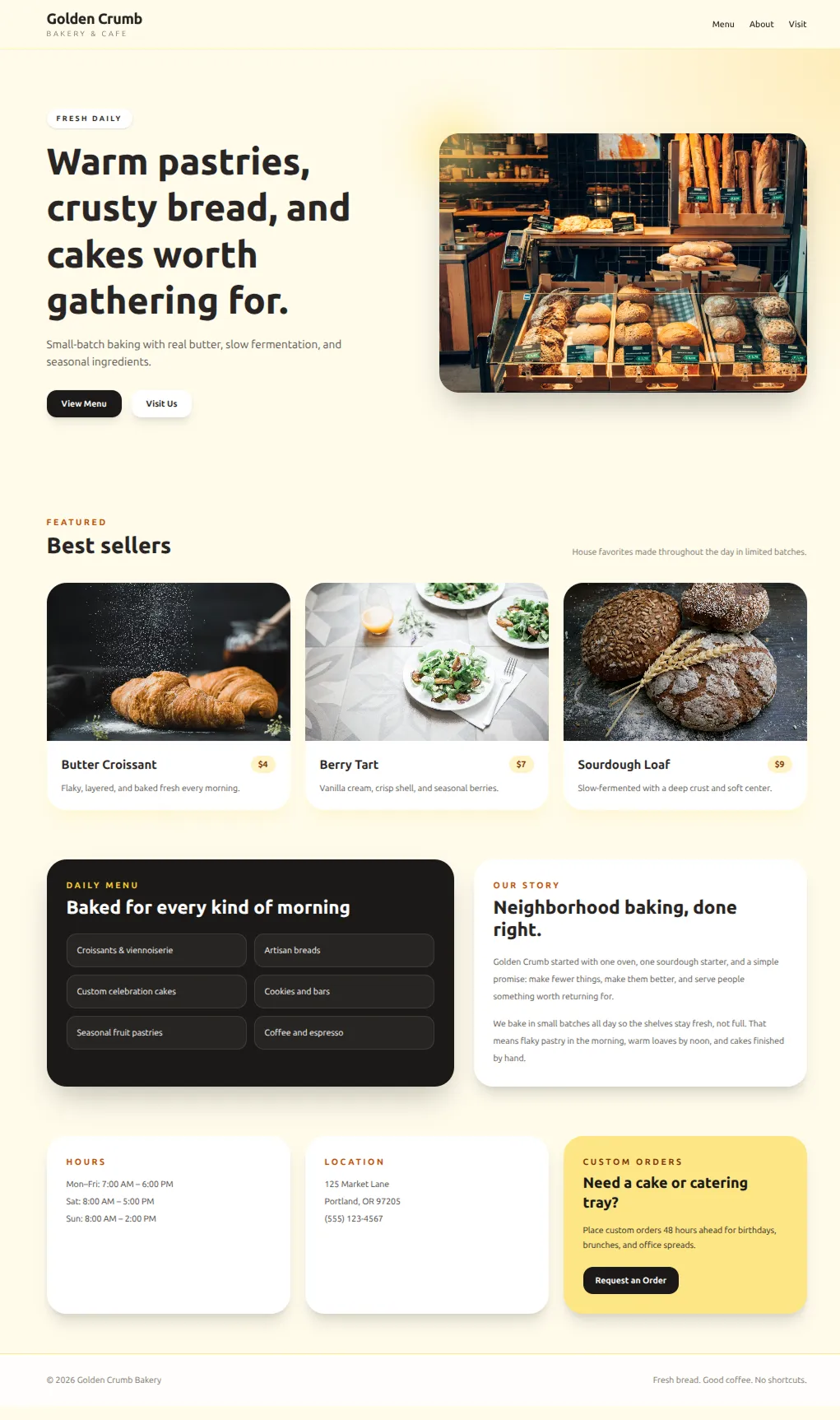
"Make a bakery website"
If you give the AI examples, it makes websites that look remarkably similar, and does the minimum adjustments required to match the context. So when ChatGPT makes sites right now, regardless of the prompt, it looks like the same tech startup.
Unfortunately, even with all these tactics, I'm not sure we've made anything better than a generic Wix template.
Self-iteration
Why not let the model look at its own output and improve it? A Wix designer gets to make lots of iterations after all.
In theory this solves everything. In practice it cooks for 20 minutes, spends $10 of tokens, and plateaus fast. For example, I had it iterate on the lighthouse site from earlier. It didn't even notice the unreadable button.
Self-iteration is probably the future. But today's models aren't quite ready.
After exploring all these approaches, we had some real options for improving the style. But beyond that, we felt like we understood how AI models work at a much deeper level.
What we learned about AI models
Models really like the default style
There's a default aesthetic baked into the models. It's like the average website in the training data. Every time it makes a decision, it uses the default style unless it has an explicit reason not to. That's why AI sites are so recognizable, and why self-iteration doesn't actually get you anywhere. The model isn't converging toward unique design. It converges toward the default. If you want AI to break the pattern, you need to give it something that gets it off the default, like image references or code samples.
Images are higher bandwidth than words
It's hard to steer the model with words. You can write a paragraph about wanting "clean, modern, with plenty of whitespace" but it's almost pointless. You always end up with the default style. Images can get the model to make unique designs because they carry more information. A screenshot encodes hundreds of micro-decisions about spacing, colors, and layouts that you can't define with words. So unless you have code samples, reference images are the best way to steer AI.
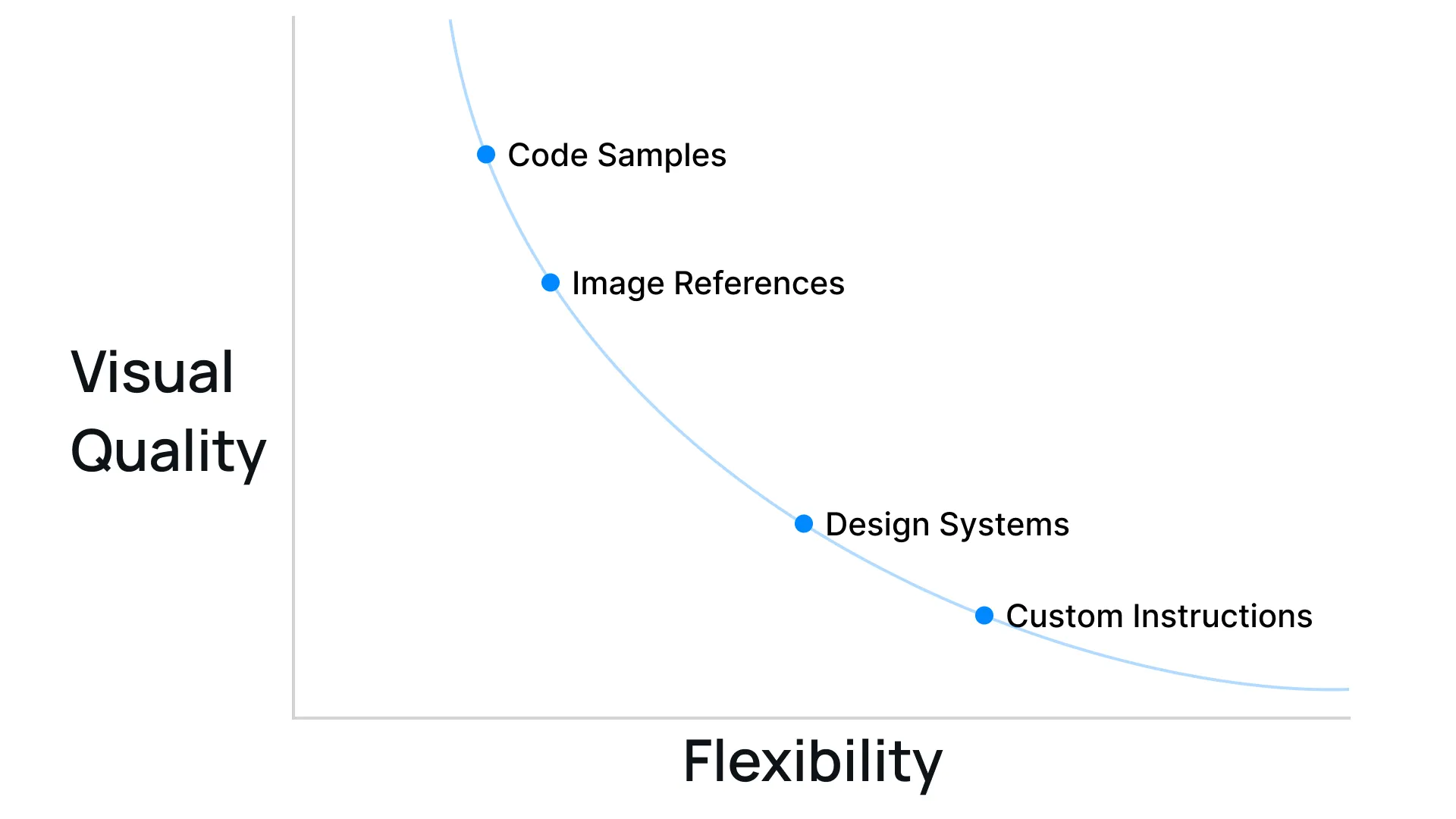
Pre-building is a tradeoff curve
Every tactic we tried was a form of pre-making decisions for the AI. When you give it more, you can raise the quality ceiling, but it loses flexibility. Preparing for every potential use-case is only important for a general platform like Repaint though. If it's just for yourself, you can (and should) give AI specific references to max out visual quality.
How to make better designs with AI
The simplest way to avoid slop is to give the AI unique visual references, like images of sites you like, code samples, or both. Once you have the style, the AI should be able to generate more sections that match. This is way more effective than just prompting over and over, which is what most people do.
Or if finding references and building a style is intimidating, you could try Repaint. We built a large library of styles with code samples and design variables. The AI isn't forced into a single style because we have lots of options.
More broadly, across any visual AI tool, whether app design, image generation, or video generation, instead of saying "make it look more premium," try giving it more screenshots and examples. It's dramatically more effective.